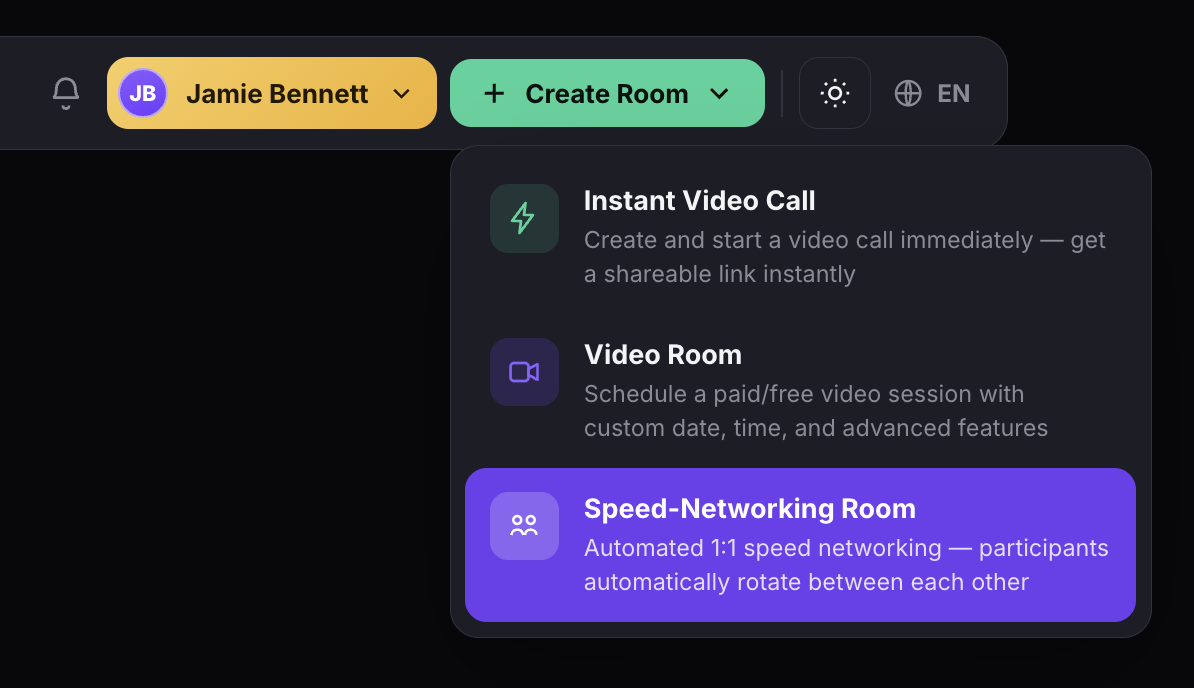
Click + Create Room and select Speed-Networking Room from the dropdown. Enter a title and description, and the platform walks you through experience design, scheduling, and access settings in one guided flow. Matchmaking, timing, and transitions are all handled automatically.
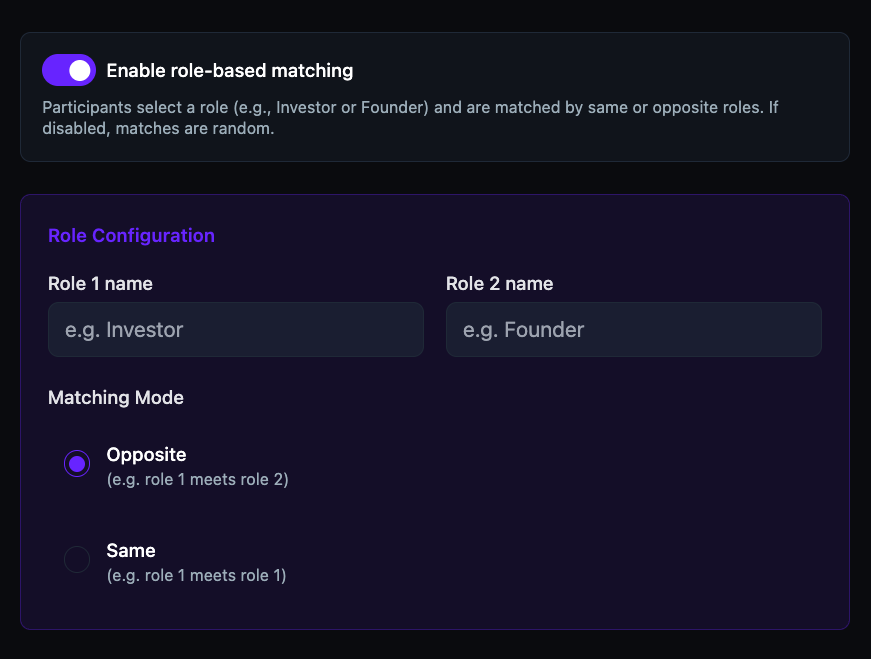
Toggle on Enable role-based matching to define two roles — Investor and Founder, Mentor and Mentee, Employer and Candidate — then choose a matching mode. Opposite pairs Role 1 with Role 2. Same pairs peers within the same role. Without roles enabled, the platform defaults to random matching with no repeats.
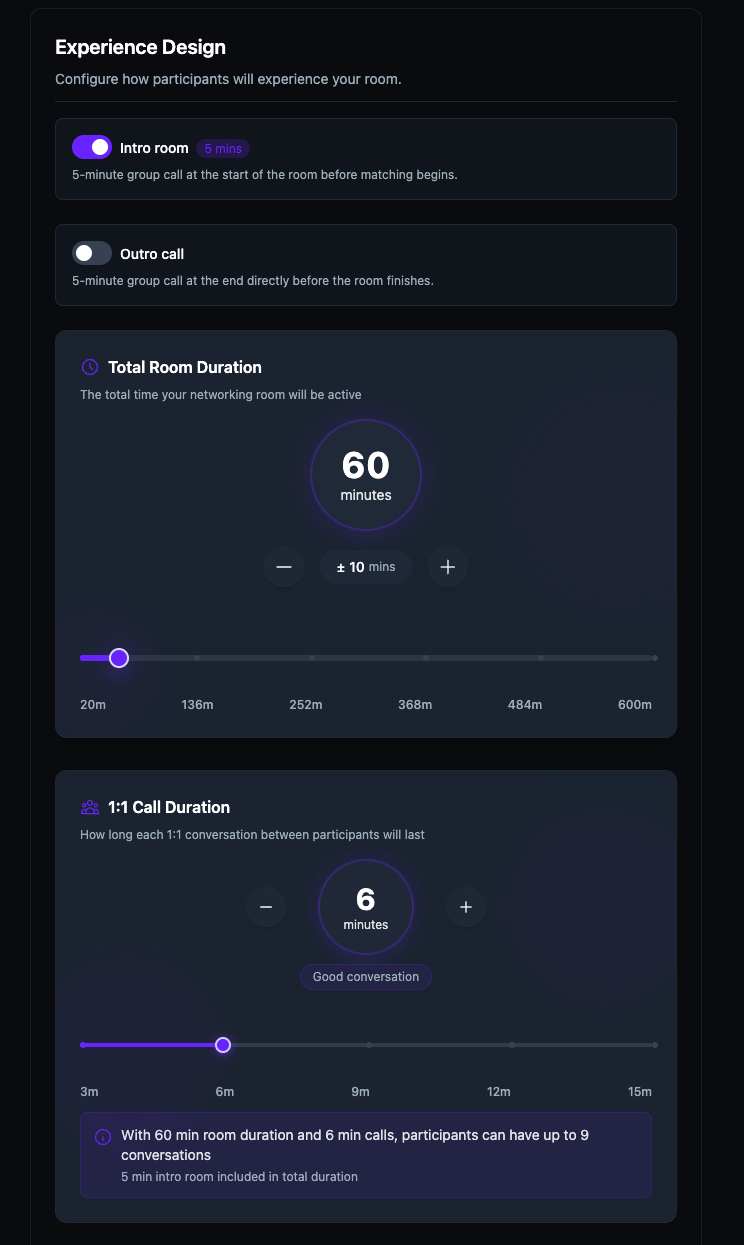
Set the Total Room Duration (20-600 minutes) and 1:1 Call Duration (3-15 minutes per round). Optionally enable a 5-minute Intro room for a group welcome before matching begins, and an Outro call for closing remarks. The platform auto-calculates the maximum number of conversations based on your settings.
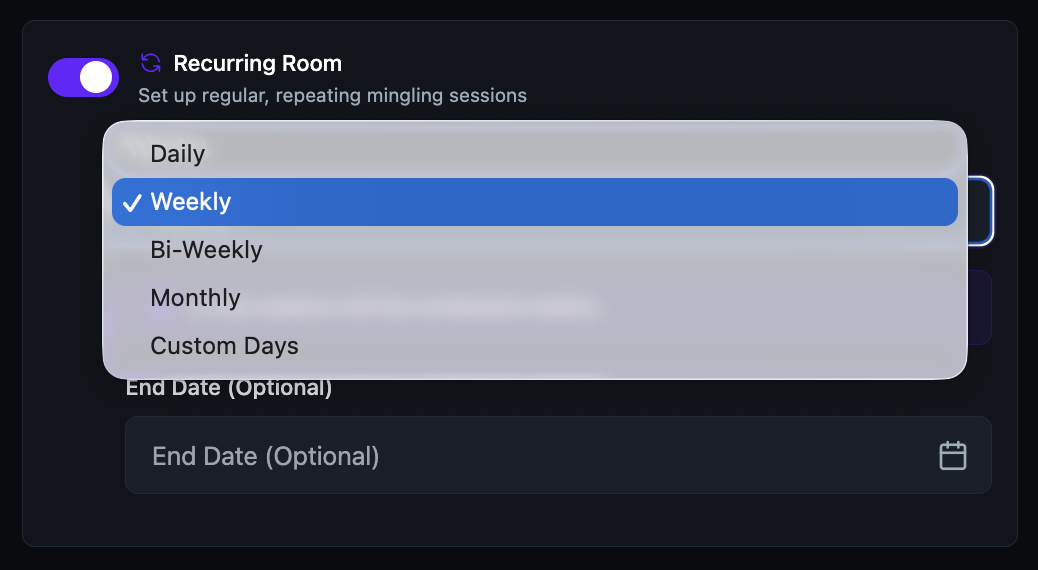
Pick a date and timezone — participants see the event in their local time automatically. Toggle Recurring Room on and select a repeat frequency from the dropdown. Set an optional end date or let it run indefinitely. Each occurrence inherits the same settings — title, duration, call length, and access rules.
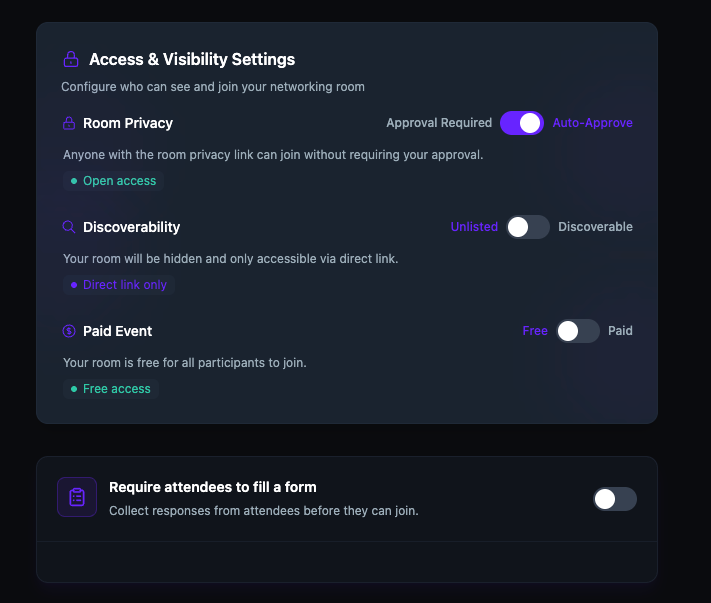
The Access & Visibility Settings panel gives you three independent controls. Room Privacy toggles between Auto-Approve and Approval Required. Discoverability switches between Discoverable and Unlisted. Paid Event toggles between Free and Paid. A separate form toggle at the bottom lets you collect attendee data before anyone joins.
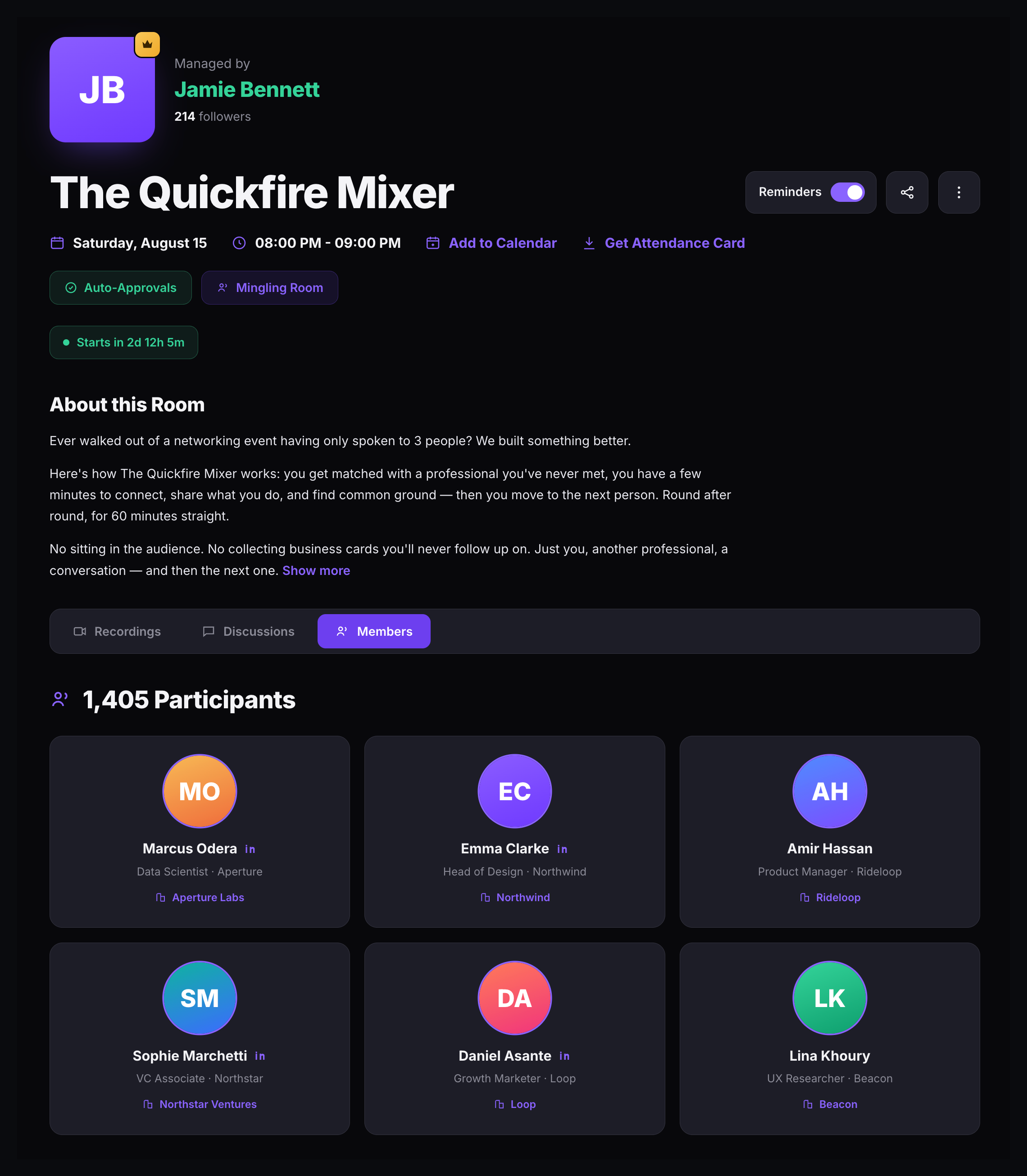
Every speed networking room has its own detail page showing the host, title, date, time, tags, and a full description. Participants can toggle reminders, add the event to their calendar, download an attendance card, and browse the Members tab to see who else is attending — complete with name, title, company, and LinkedIn.
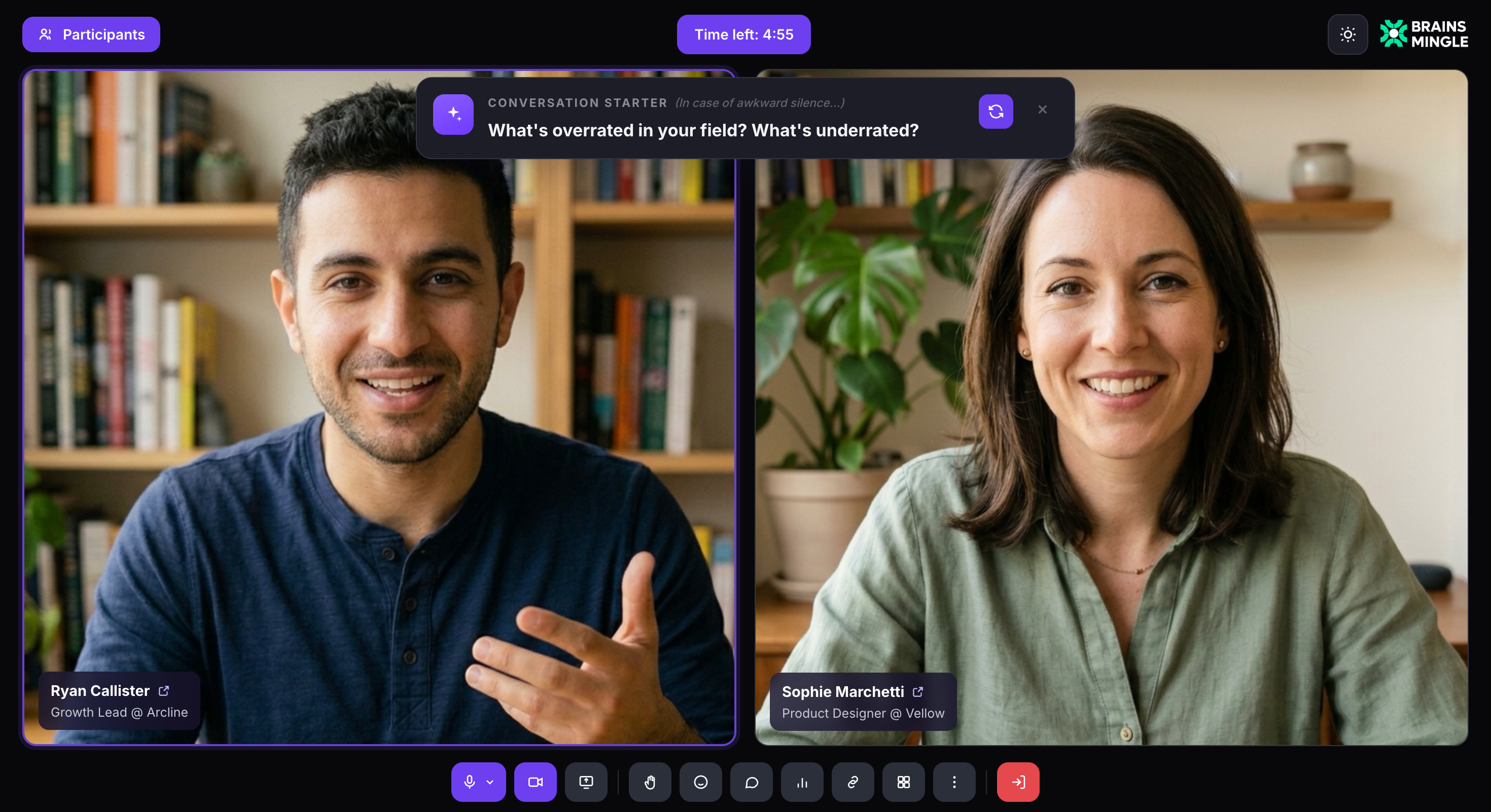
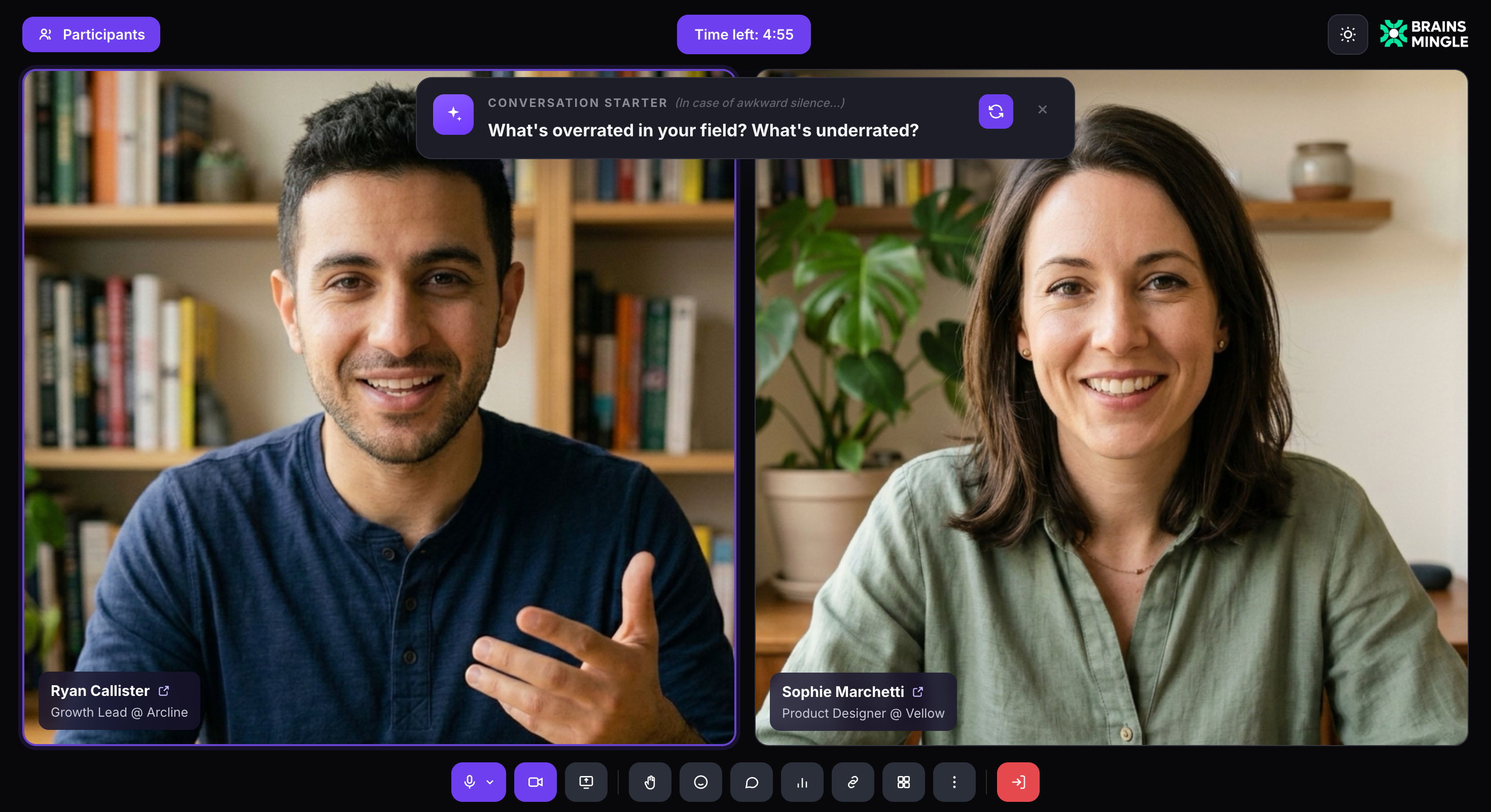
Two participants side by side, a shuffleable conversation starter above the video, name tags with titles and companies, and a round countdown in the top bar.
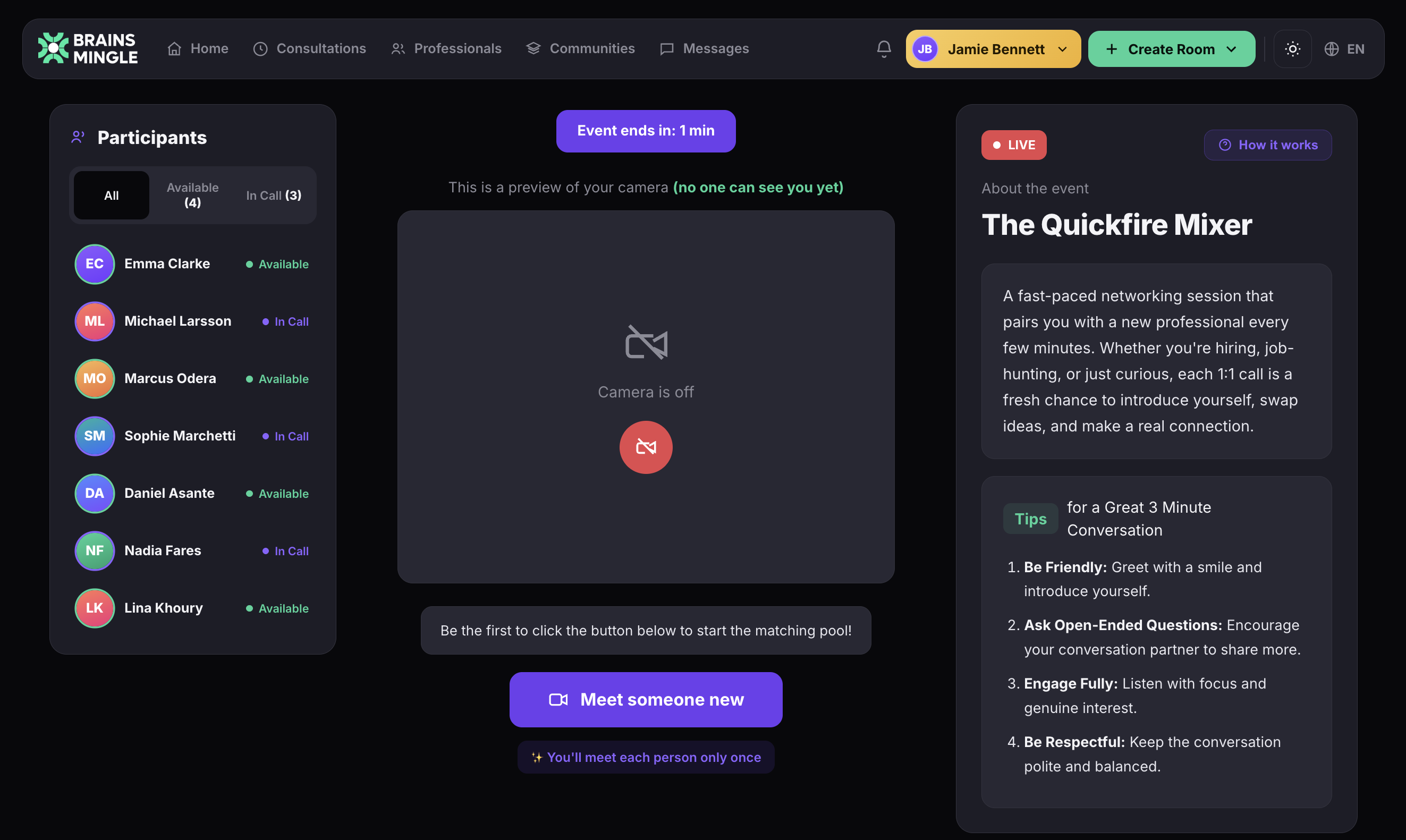
The lobby shows all participants with real-time status — Available or In Call. Click Meet someone new and the platform pairs you into a 1:1 video call instantly. Each person is matched only once. When the timer runs out, the call ends and you're back in the lobby ready for the next round.
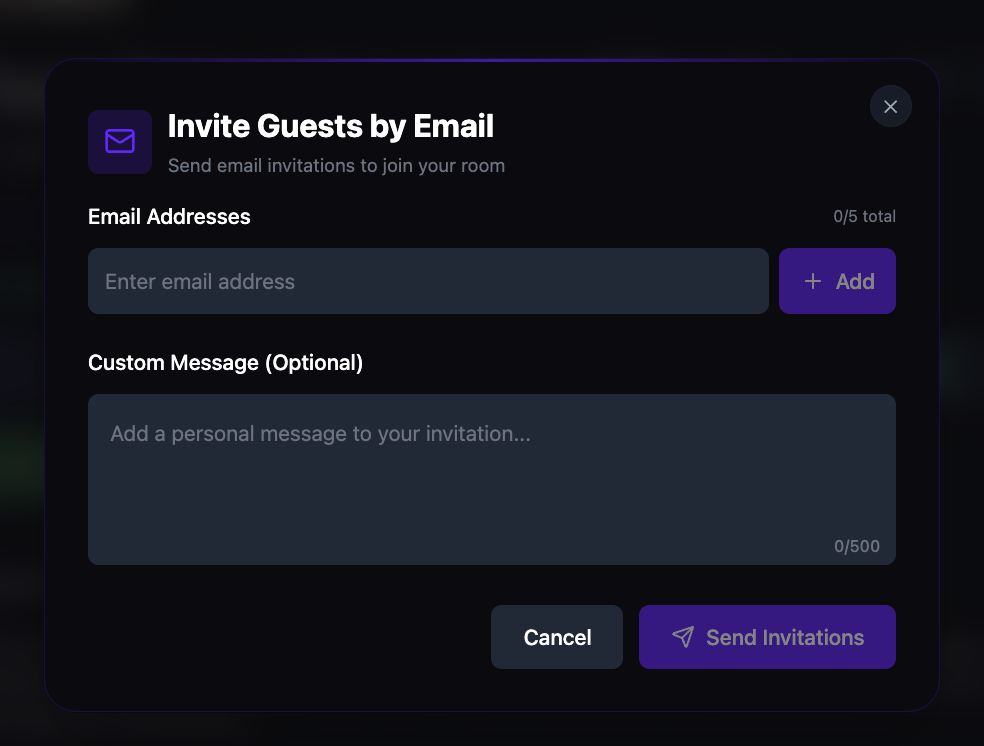
Open the Invite Guests by Email dialog from the room detail page. Add up to 5 email addresses per invitation, include an optional custom message (up to 500 characters), and hit Send Invitations. Recipients get a branded invitation with the room link and your personal note.
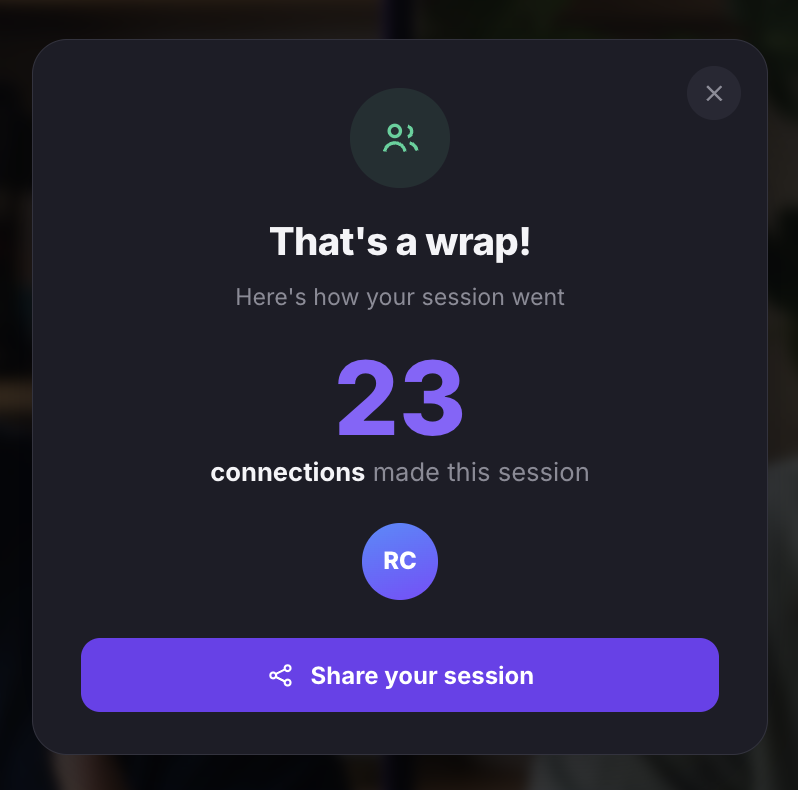
When the session ends, every participant sees a "That's a wrap!" summary showing how many connections they made. Click Share your session to post the results. Connections are saved to participant profiles, and the room's Members and Discussions tabs stay open for follow-up messaging.
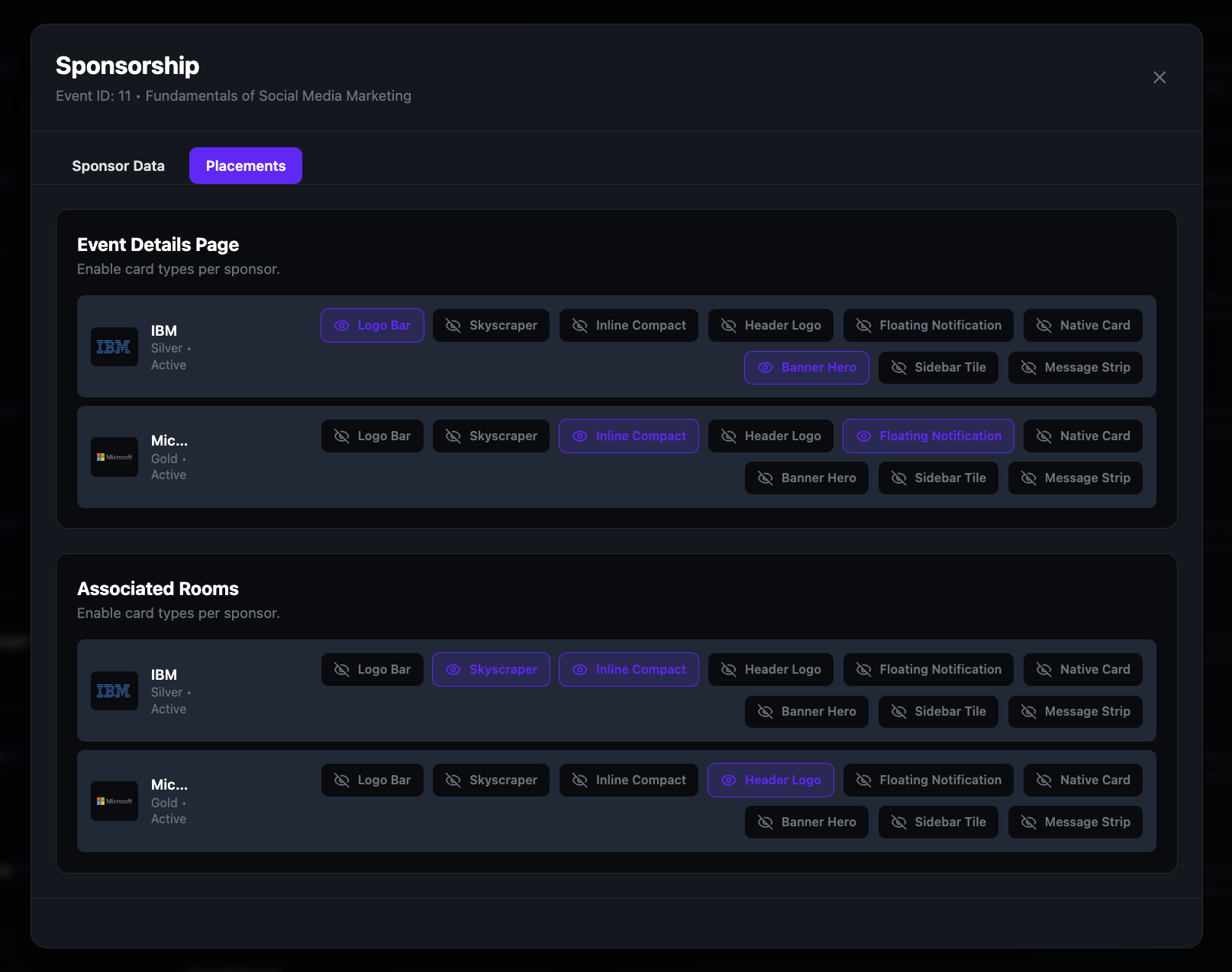
Add sponsors to any speed networking room from the Admin Panel. Configure sponsor branding — logo, card image, description, and call-to-action button — then control placements on the event details page and inside the room. Reuse sponsor records across events.