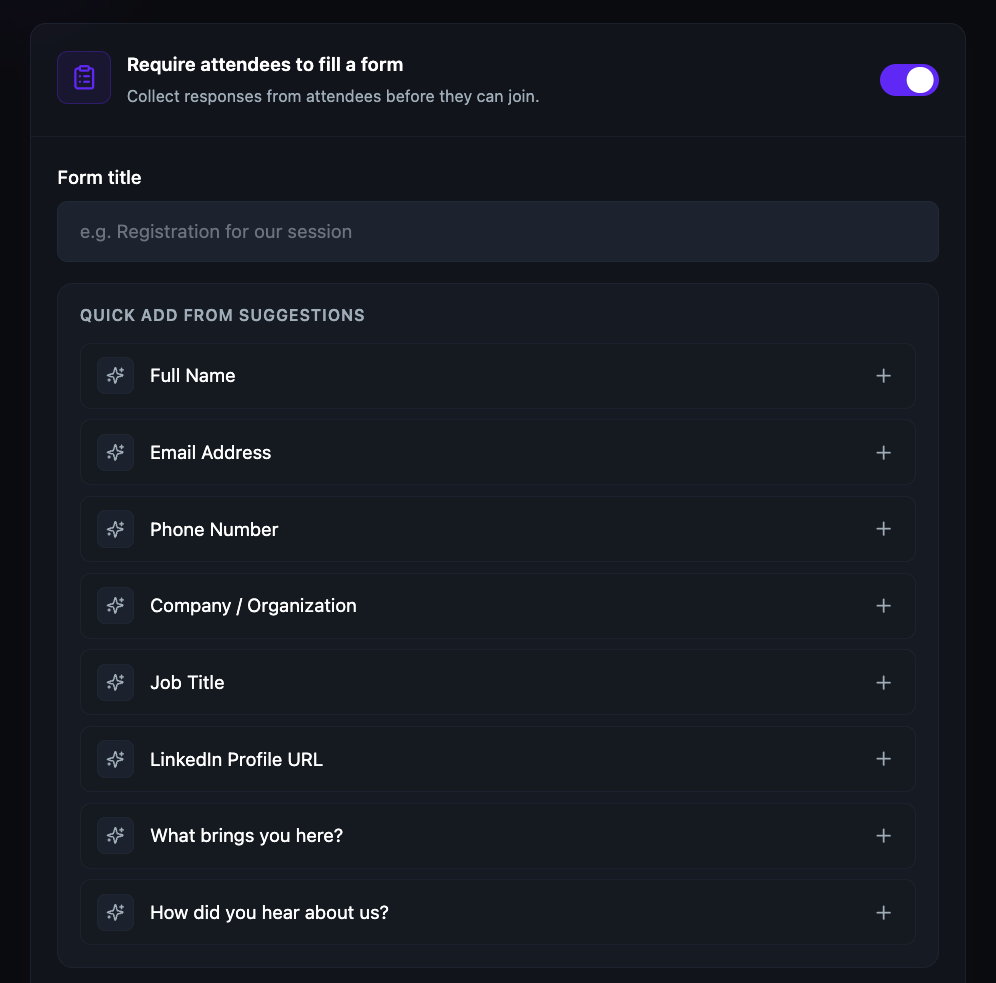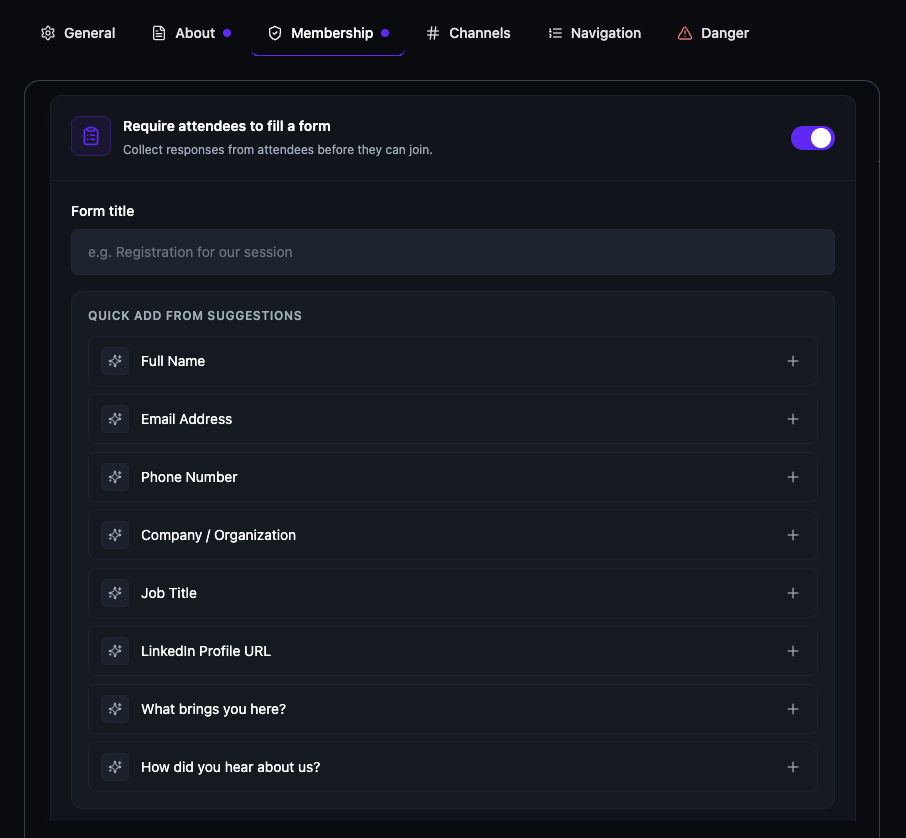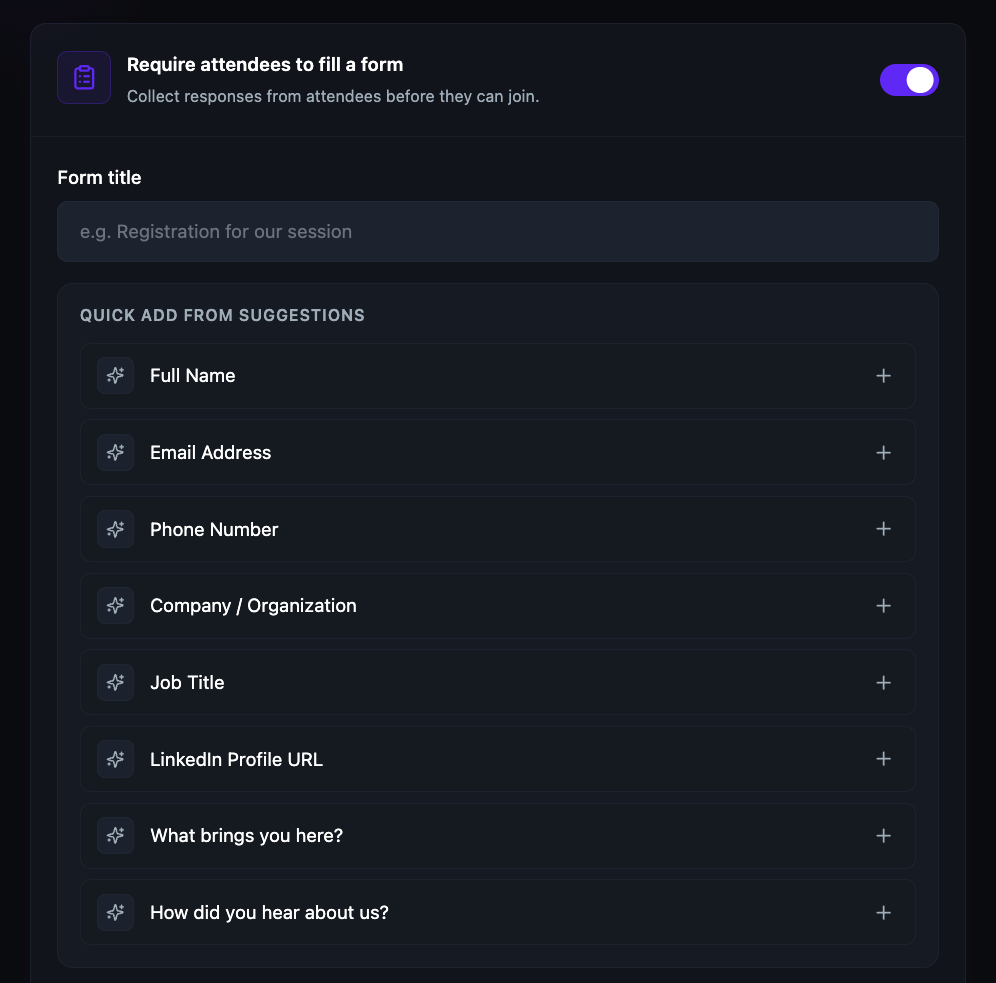
The form builder is embedded directly in the room and community creation flow. Enter a title, pick from suggested fields, or write custom questions. The same builder works identically for video sessions, speed networking rooms, and community join forms.
Toggle on "Require attendees to fill a form" during session or room creation. Attendees must complete the form before they can access the event. You see their responses before the session even starts — so you know exactly who is in the room.
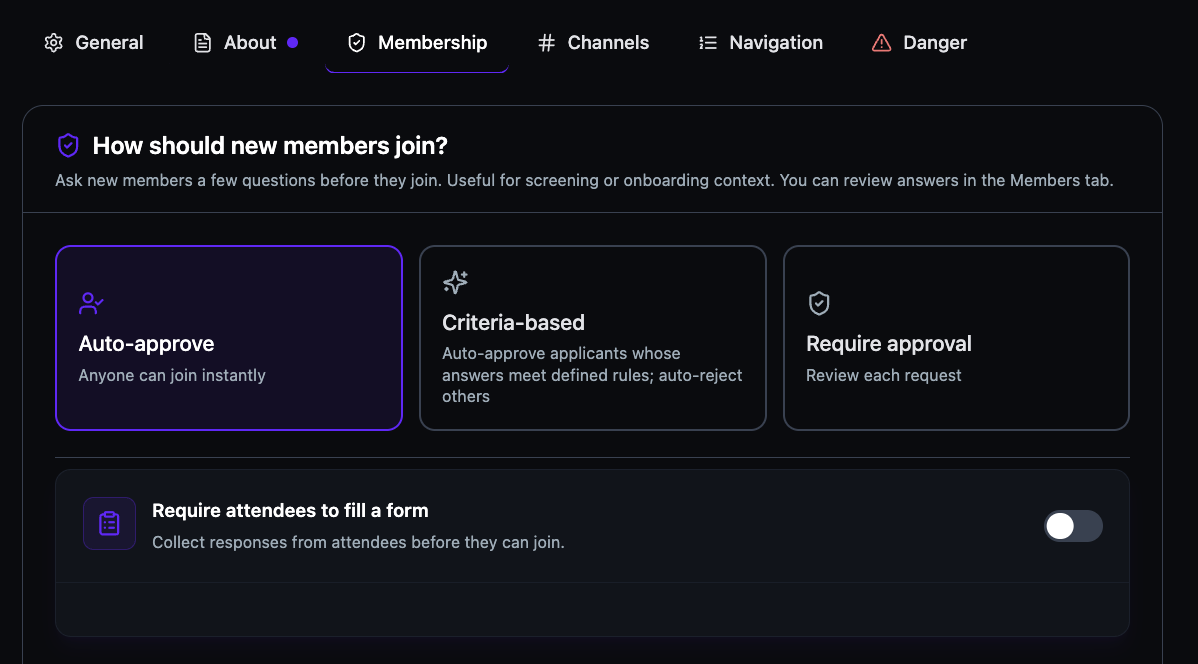
Attach a join form to any community. New members complete it when they request to join, using the same builder as your event forms — a title, one-click suggested fields, and custom questions. Each applicant's answers travel with their request, ready to review in the Members tab.
Choose how new members join: auto-approve so anyone can enter instantly, criteria-based rules that auto-approve or auto-reject by form answers, or require approval to review each request yourself. Pair any method with a join form so every decision is made on real answers.
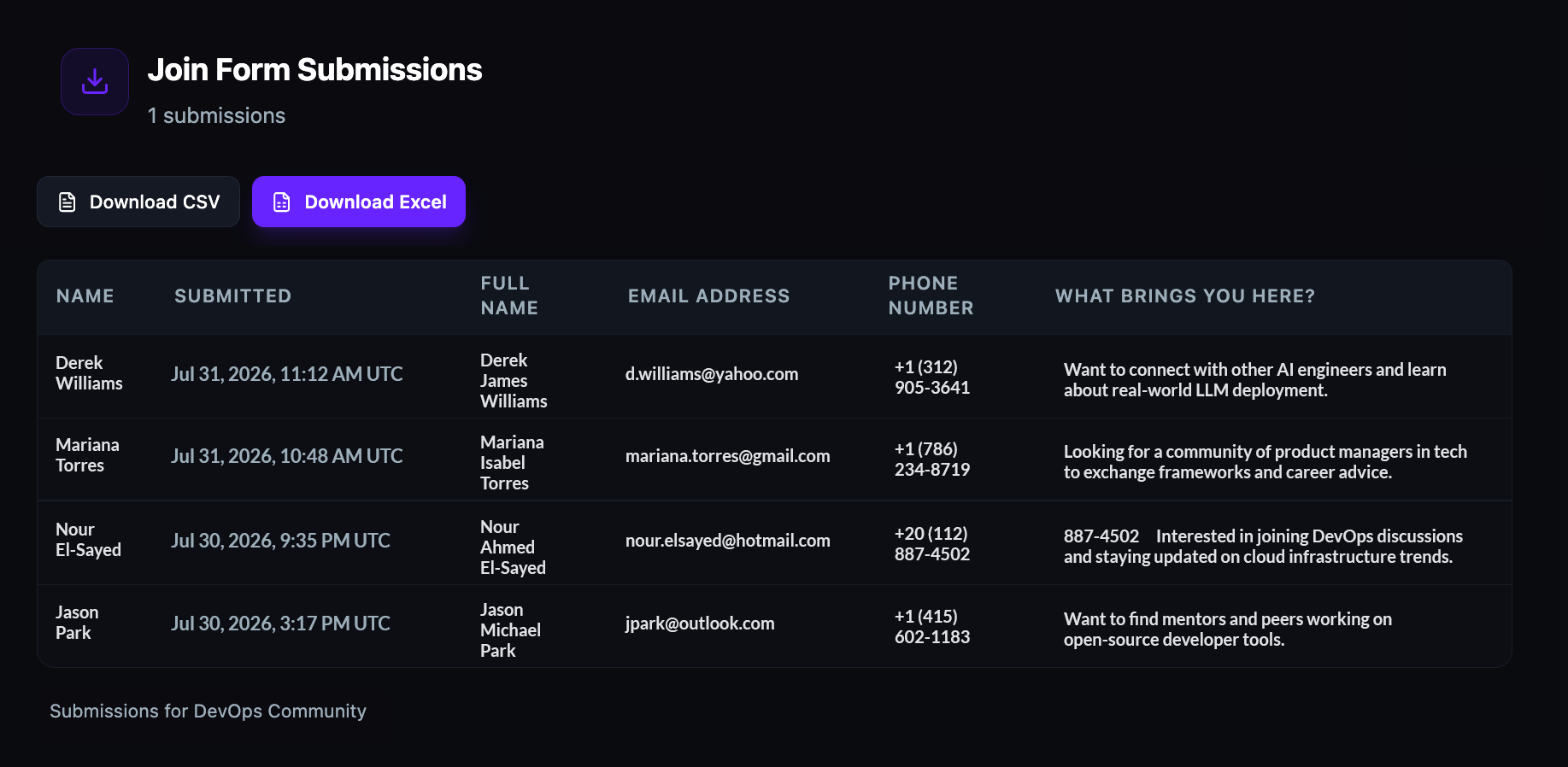
All form submissions appear in a structured table with each question as a column — name, email, phone, custom answers, and submission timestamp. Download the full dataset as CSV or Excel for reporting, follow-up, or offline review.