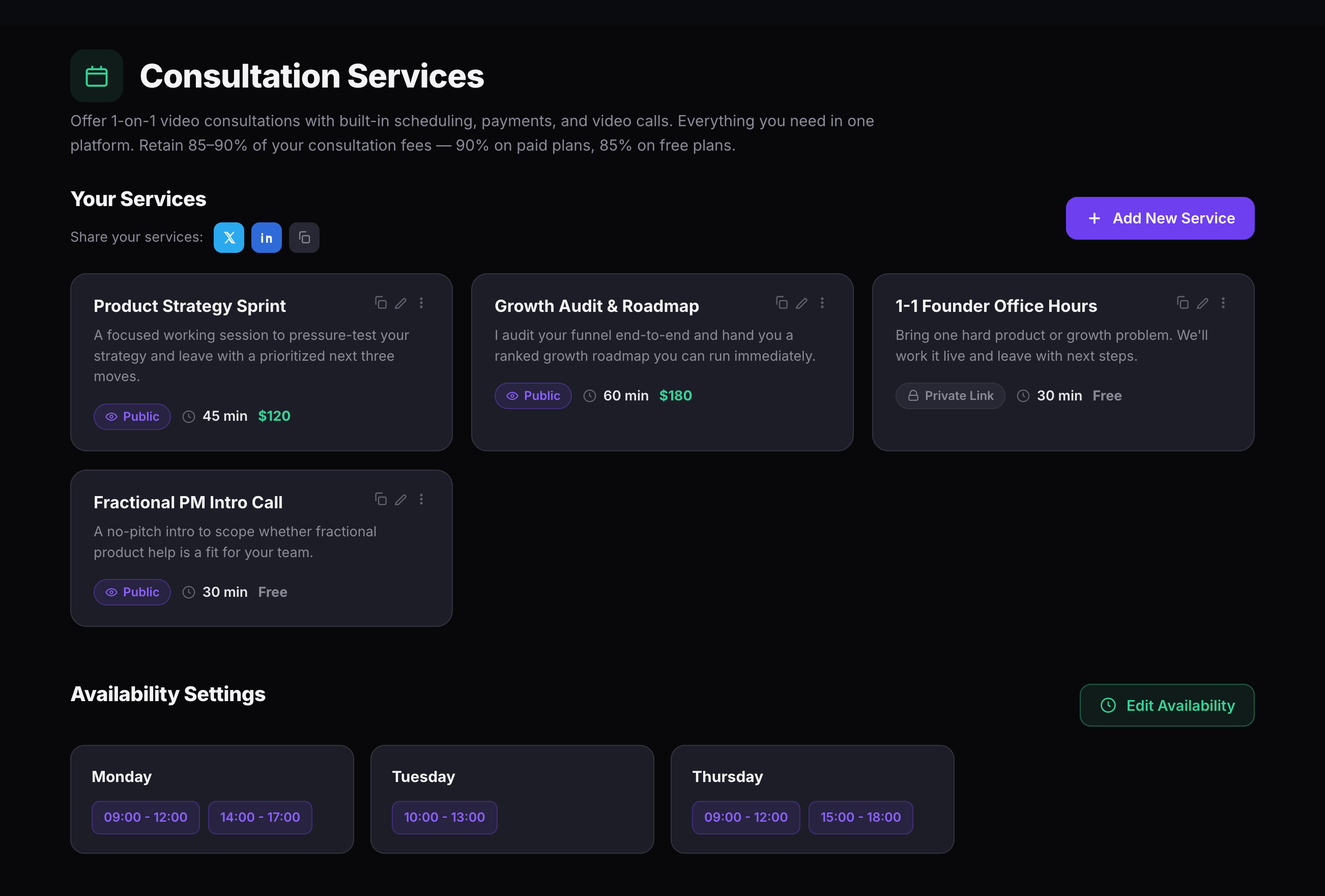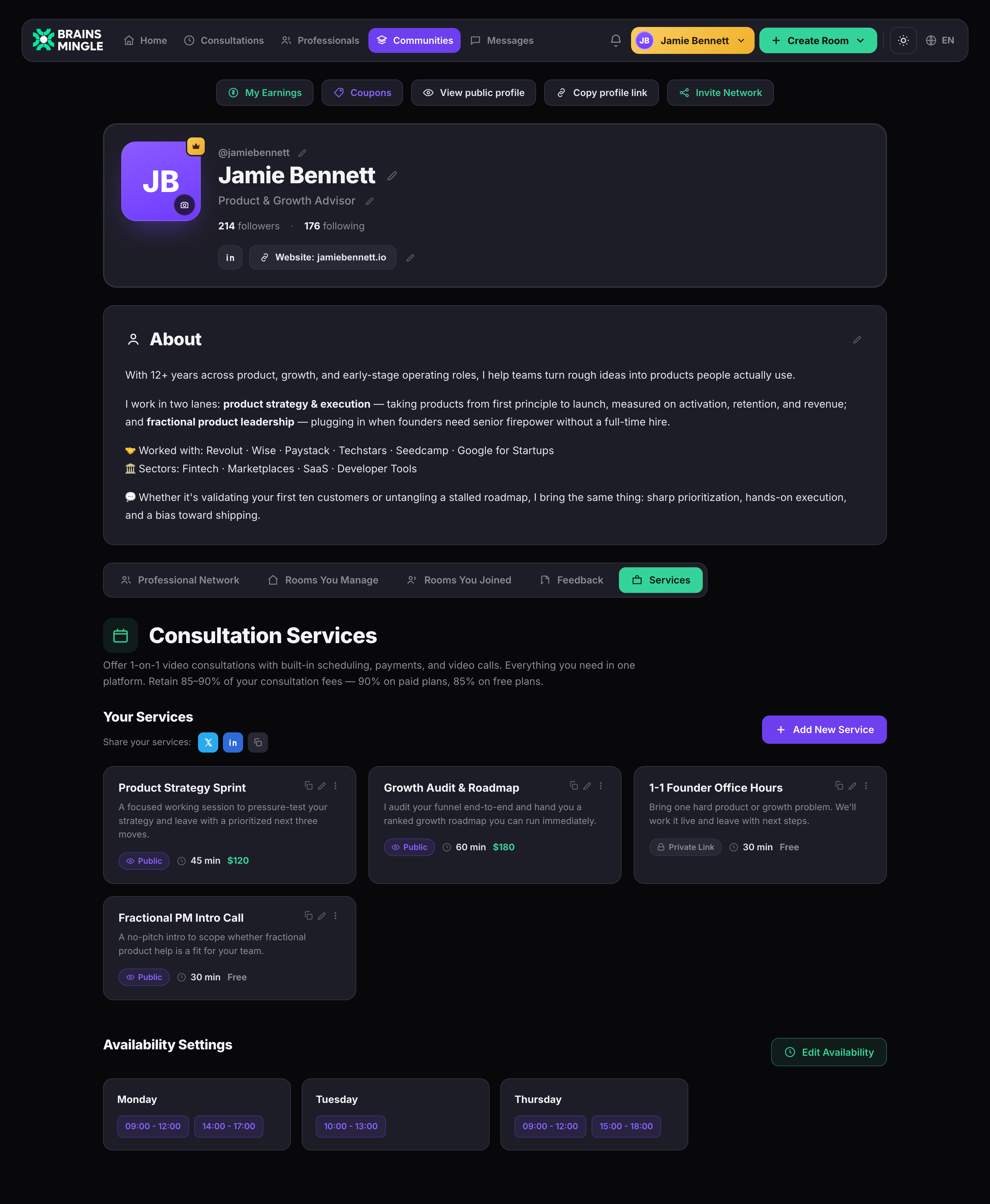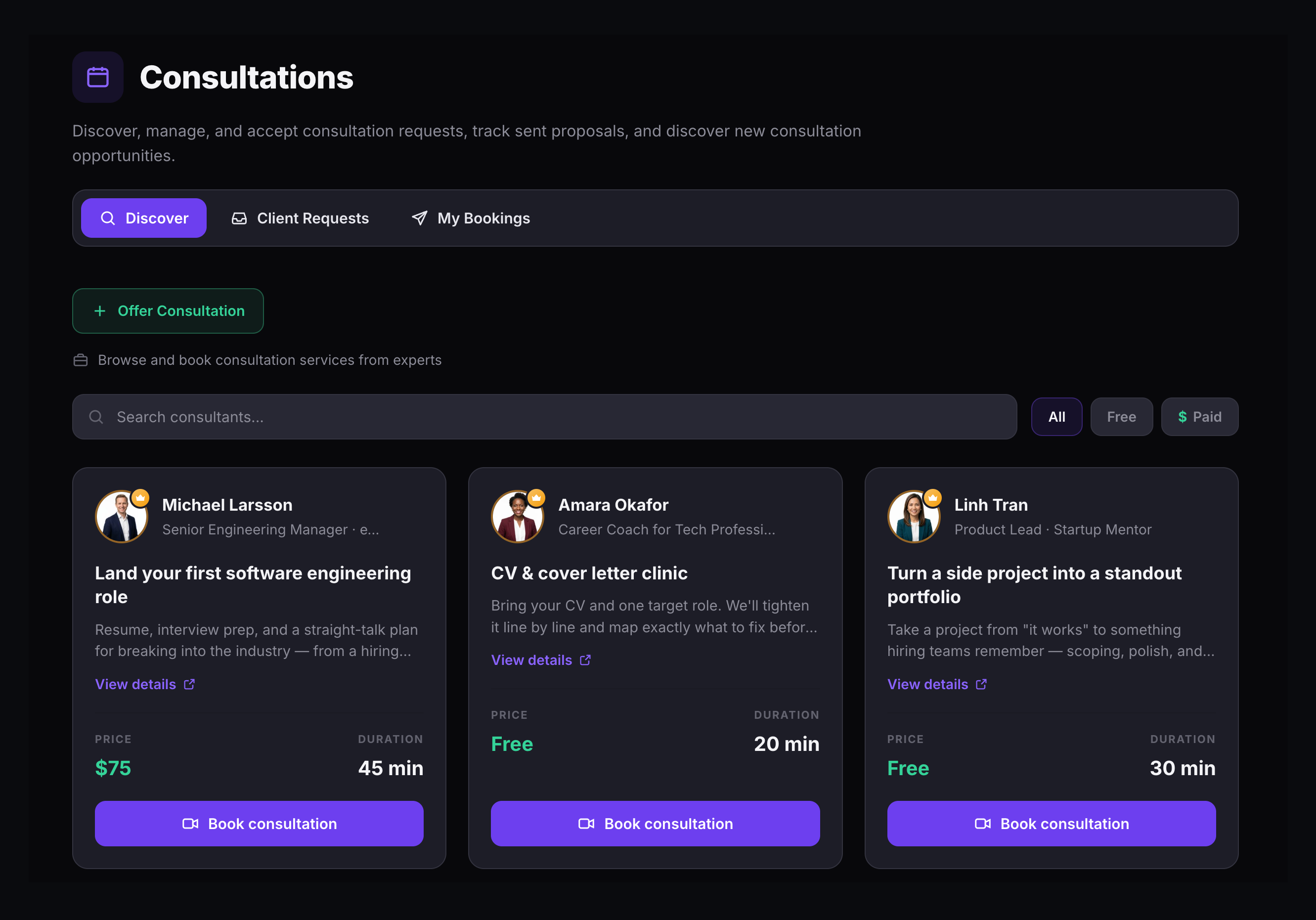
The Consultation Services dashboard is where experts create, edit, and manage every service they offer. Each service card shows its title, description, duration, price, and visibility — Public or Private Link. Share your services to X, LinkedIn, or copy the link directly. Availability settings sit right below, showing which days and time slots are open for booking.
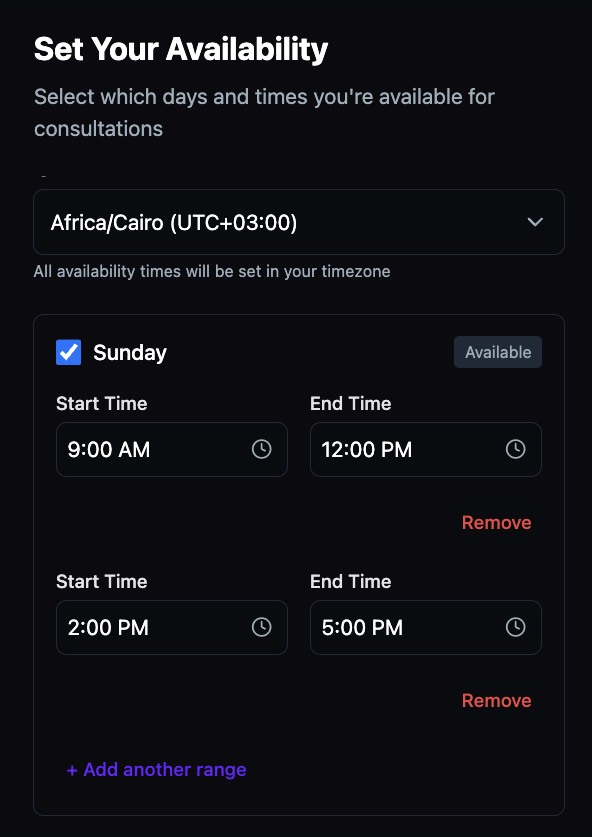
The Availability Settings section sits directly below your services. Pick the days you're available, add one or more time ranges per day, and save. Clients see only the slots that are open when they book — no back-and-forth emails, no calendar sync required. Edit anytime with a single click.
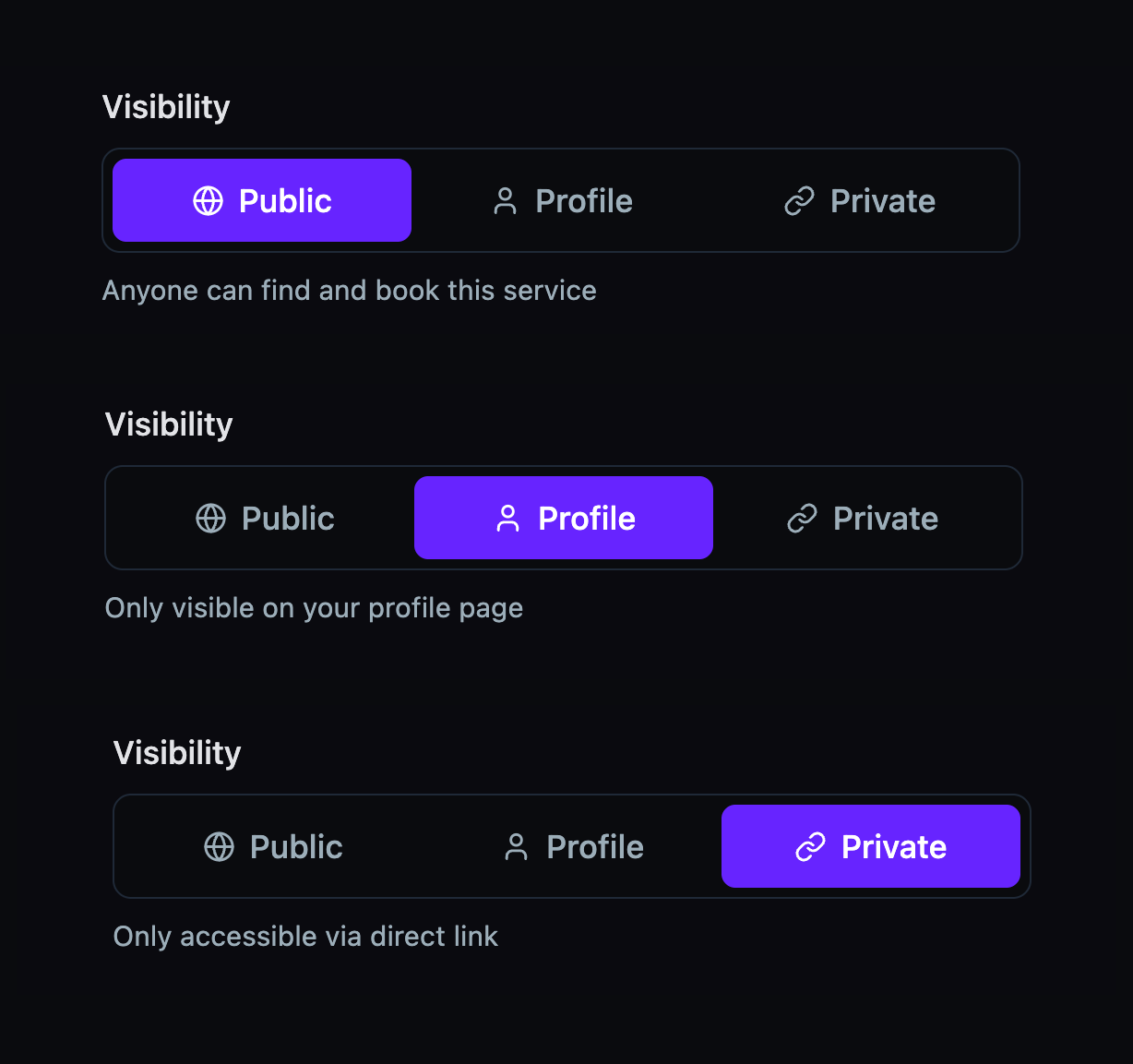
Every service has its own visibility setting with three options — Public, Profile, or Private. Make a service findable to anyone, limit it to your profile page, or lock it to a direct link. Because it's set per service, a public strategy session can run alongside a private intro call reserved for specific clients.
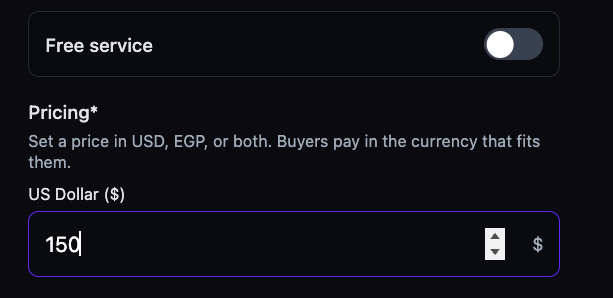
Each service card displays its price and duration right on the dashboard. Set a fee in USD, EGP, or both — or toggle the service to free for discovery calls and intro sessions. Clients pay at booking. No invoices, no chasing, no currency conversion plugins.
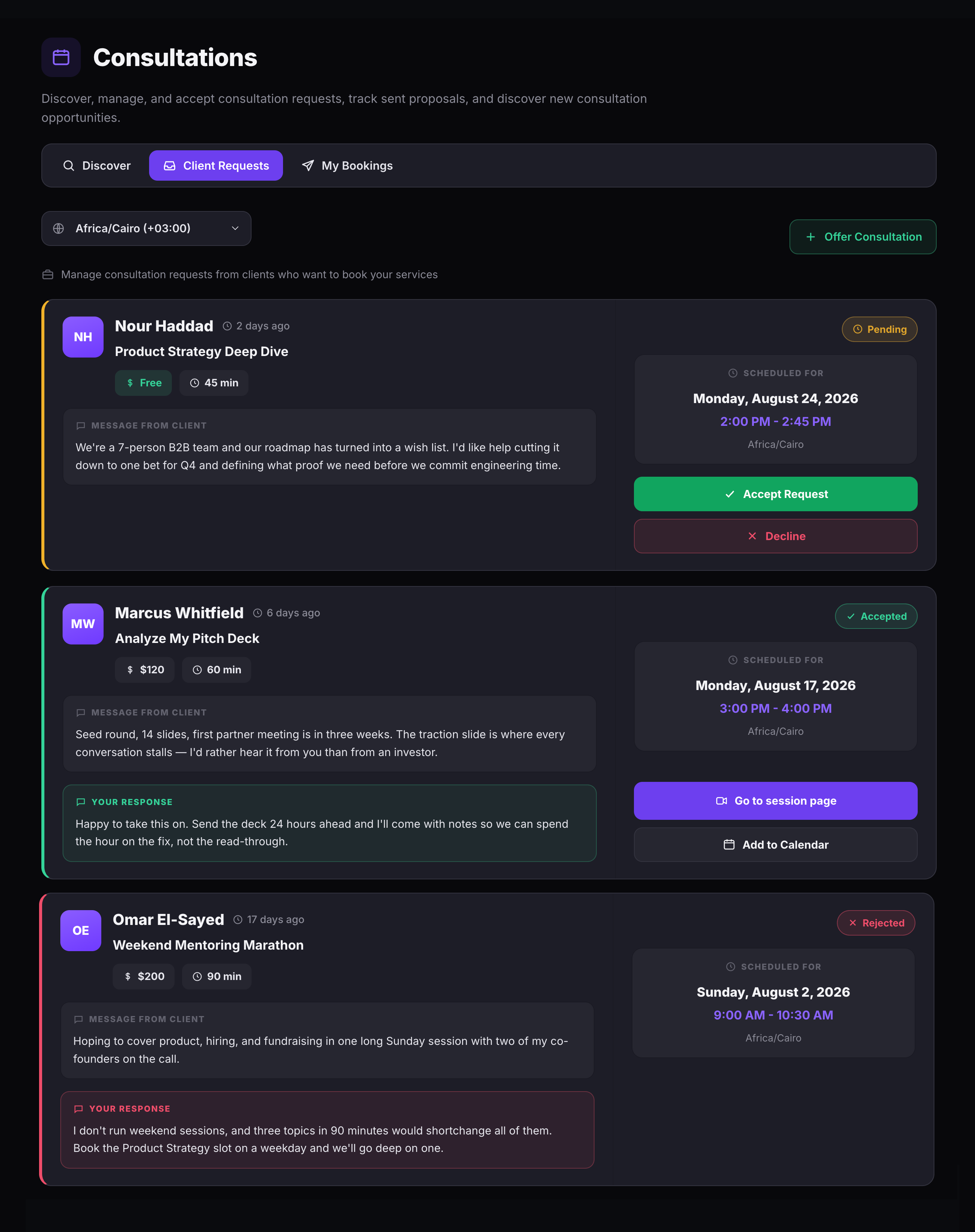
When a client books a consultation, the request lands in the Client Requests tab with everything you need to decide: the service they chose, their message, preferred date and time, duration, and price. Accept with a response and the session page is created automatically. Decline with a note and the client is notified instantly.
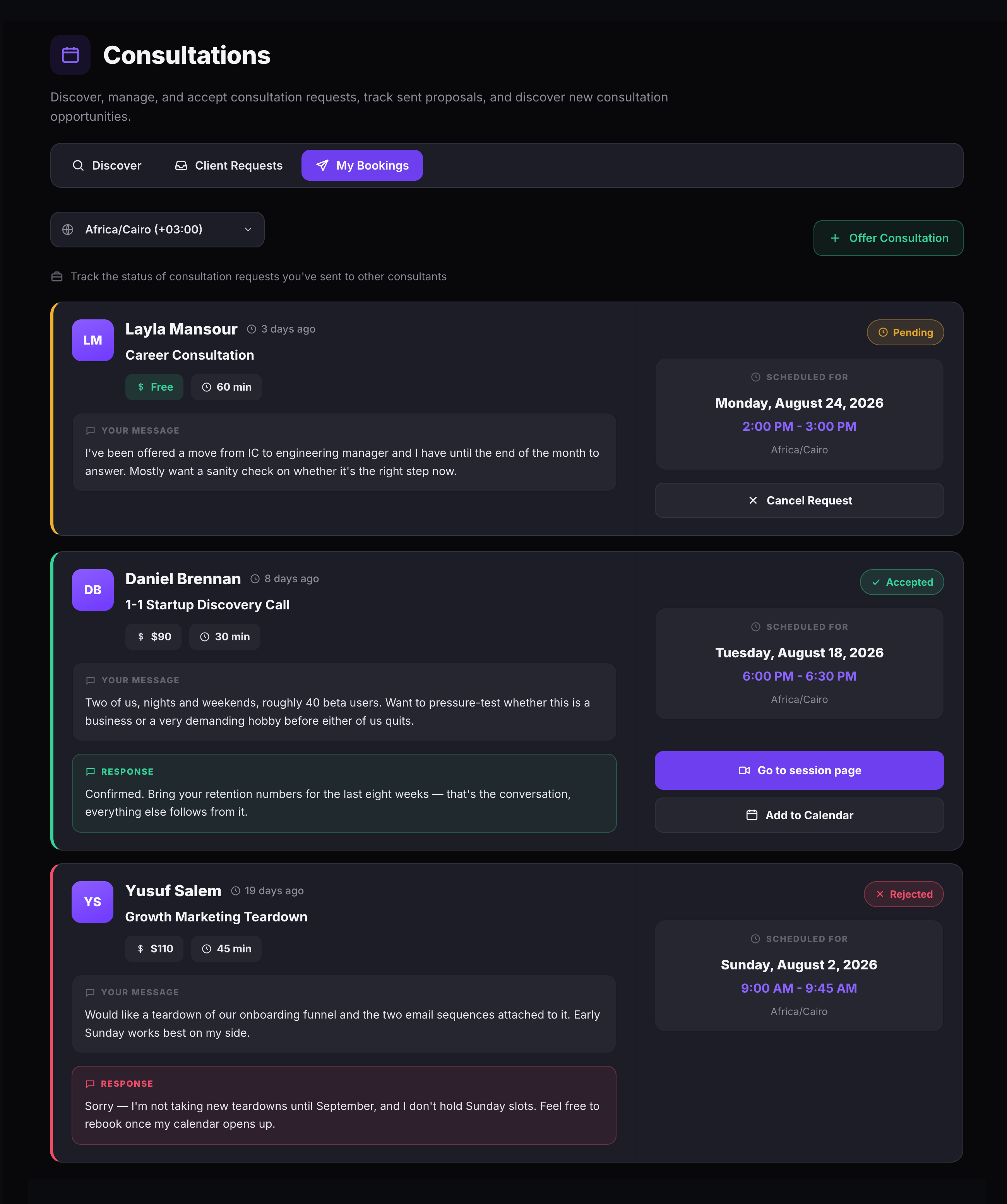
The My Bookings tab shows every consultation request you've sent to other experts. Each card shows the expert's name, your original message, the proposed schedule, and real-time status. Pending requests can be cancelled. Accepted bookings link directly to the session page and calendar. Declined requests show the expert's response so you know why.
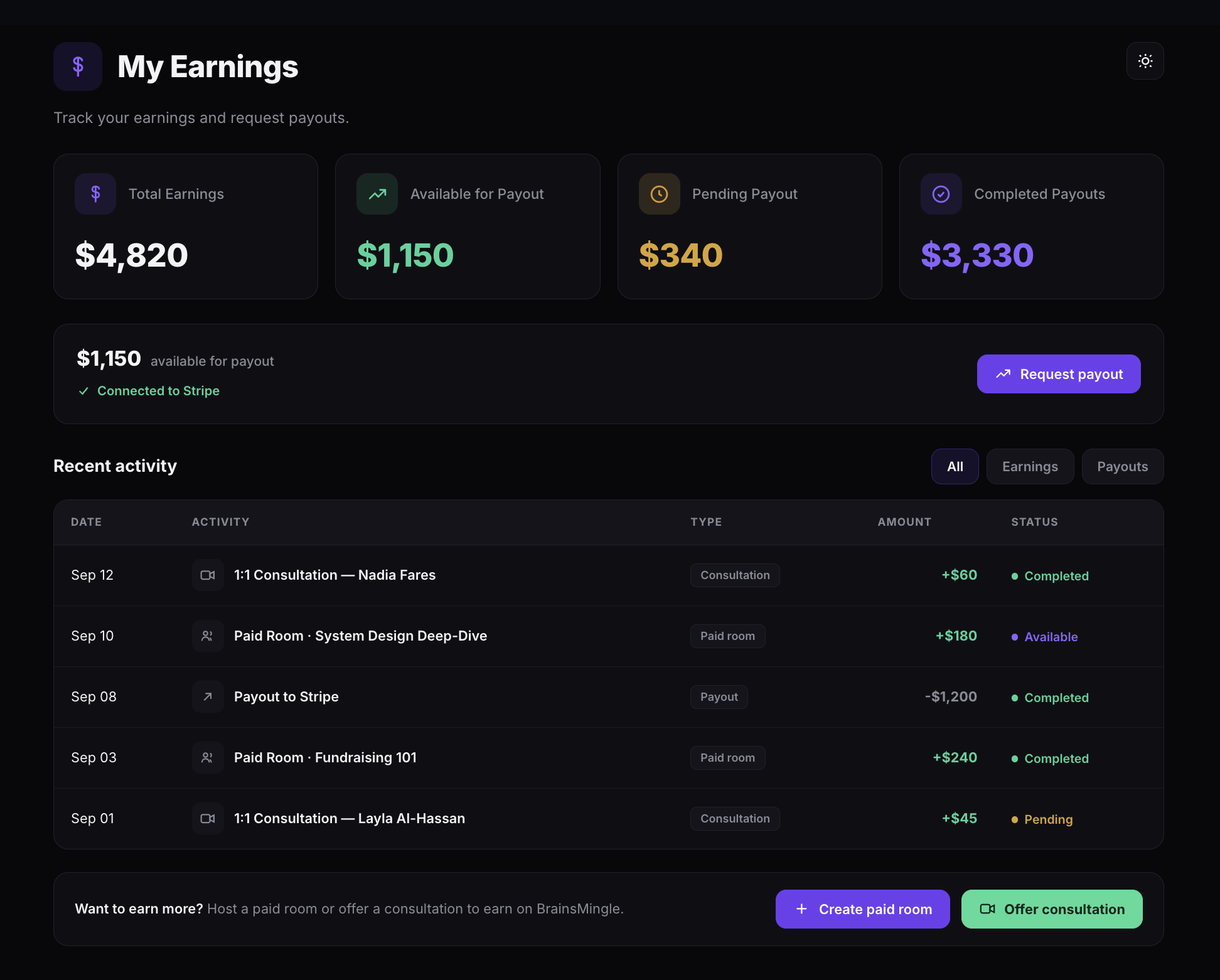
Every paid consultation and paid session flows into the My Earnings dashboard. Four cards show Total Earnings, Available for Payout, Pending, and Completed at a glance. Connect Stripe once, then request payouts whenever your available balance is ready. The Recent Activity log tracks every transaction — consultations, paid rooms, and payouts — with date, amount, and status.
Every expert's profile has a Services tab that lists all active consultations with title, description, duration, price, and visibility. Clients browse services, check availability, and book directly from the same page. Share the profile to X, LinkedIn, or copy the link — no separate landing page builder needed.