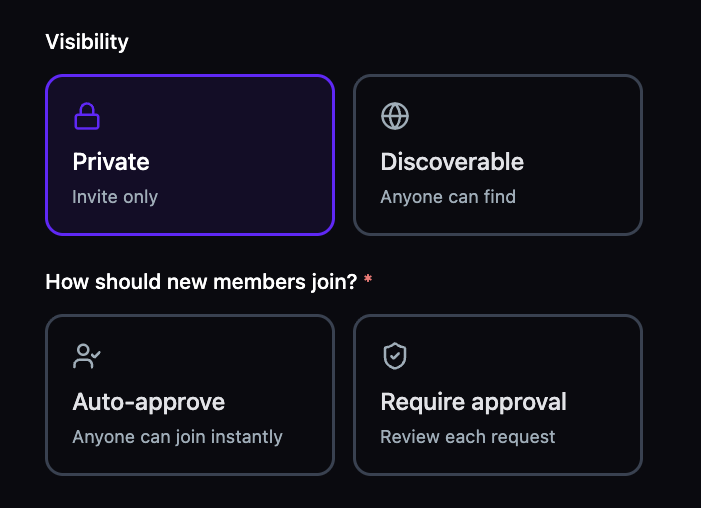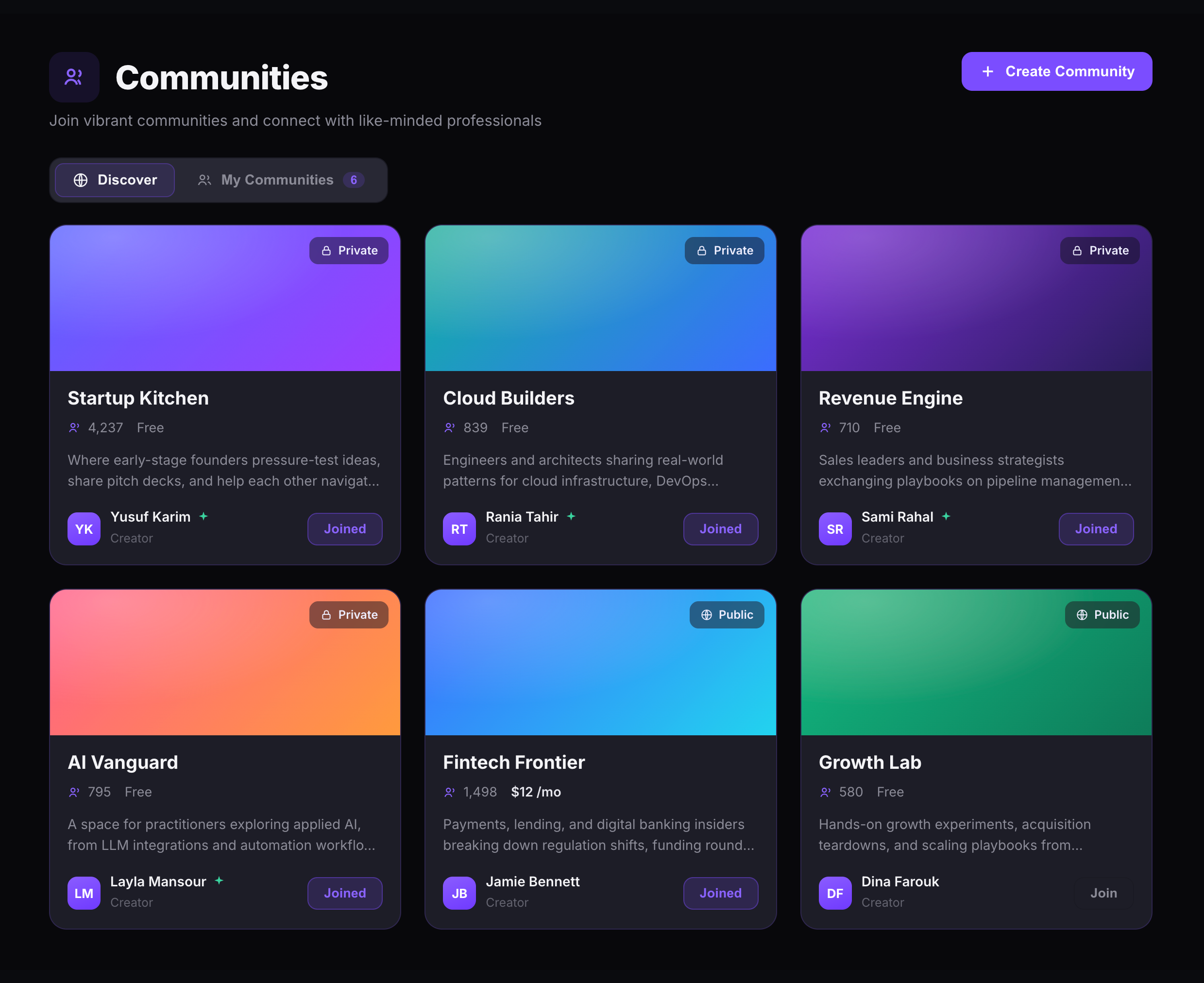
Name your community, write a description, set visibility and membership rules, and you're live. Choose between Private (invite only) or Discoverable (anyone can find), then decide how new members join — auto-approve or require approval. Every community comes with default channels, a member directory, and a customizable sidebar from day one.
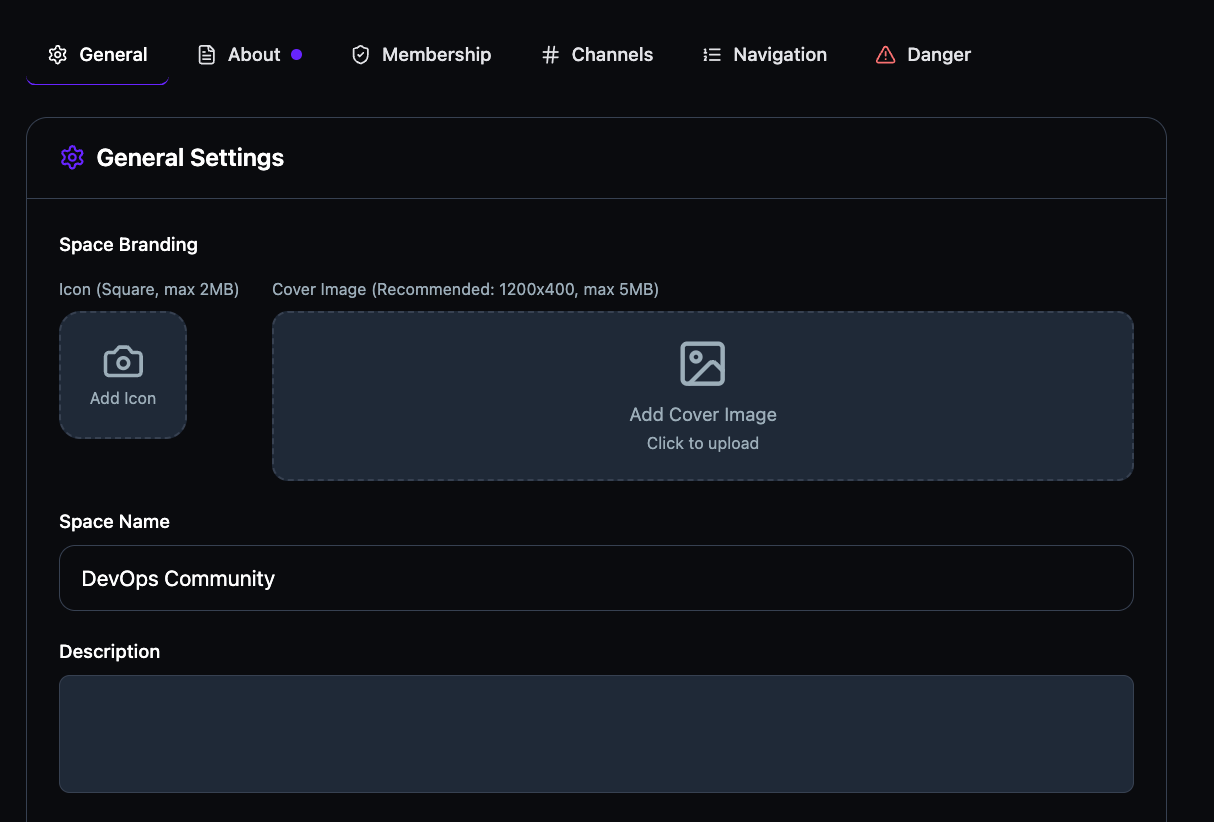
The General Settings tab is where your community's identity lives. Upload a square icon and a wide cover image, edit the space name and description, and every touchpoint updates instantly. Settings are organized across six tabs — General, About, Membership, Channels, Navigation, and Danger — so every aspect of your community is configurable from one place.
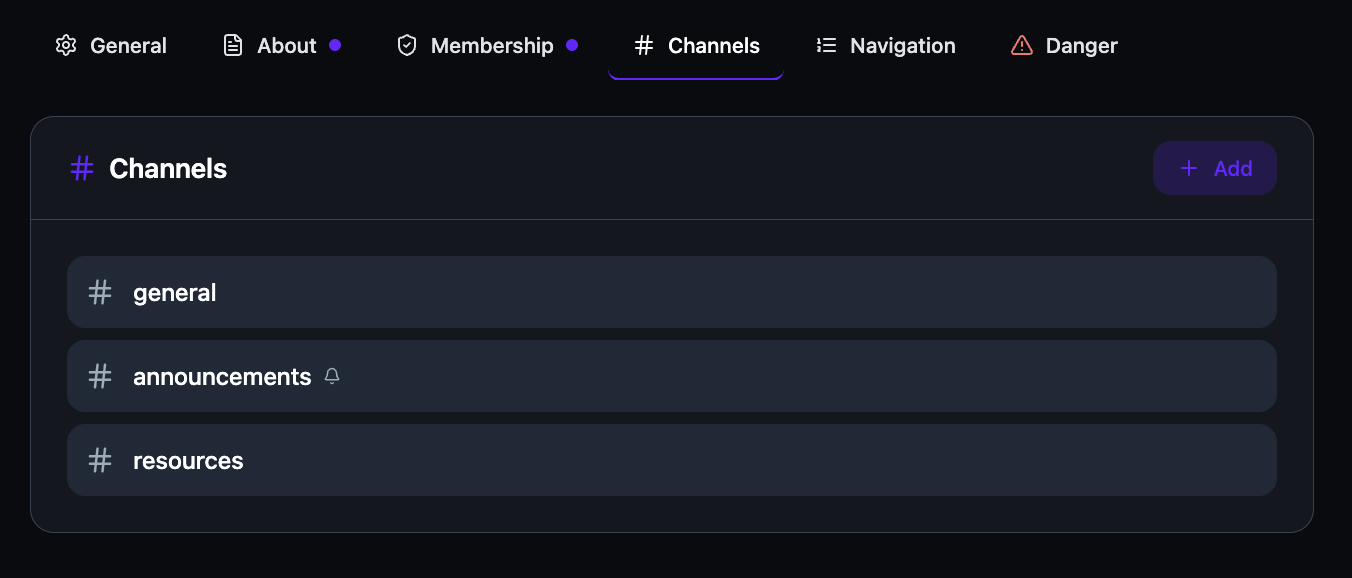
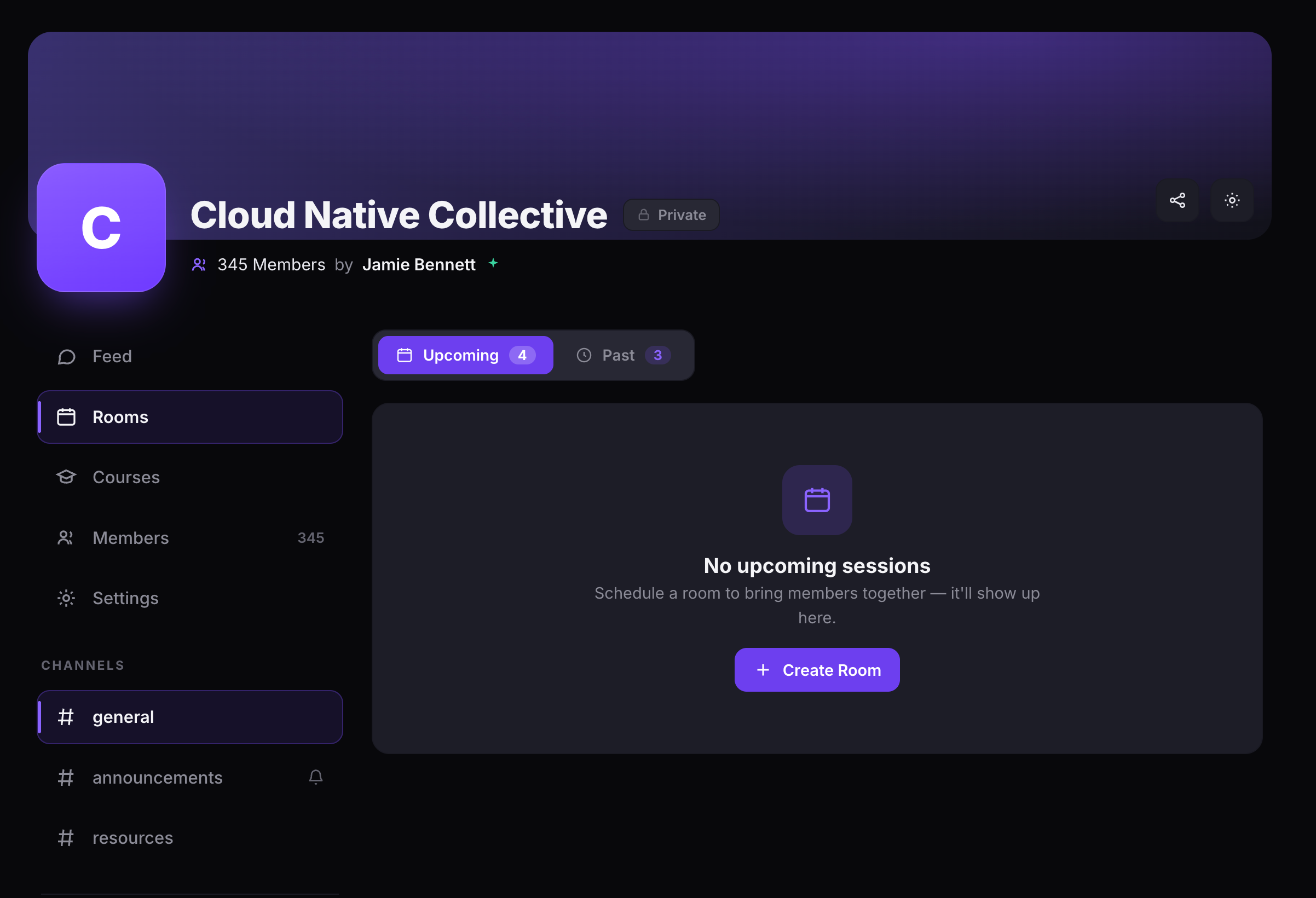
Every community starts with three default channels — # general, # announcements, and # resources. Add custom channels for any topic, and lock channels to announcement-only so only admins can post official updates. Members see channels in the sidebar, organized under a dedicated Channels section.
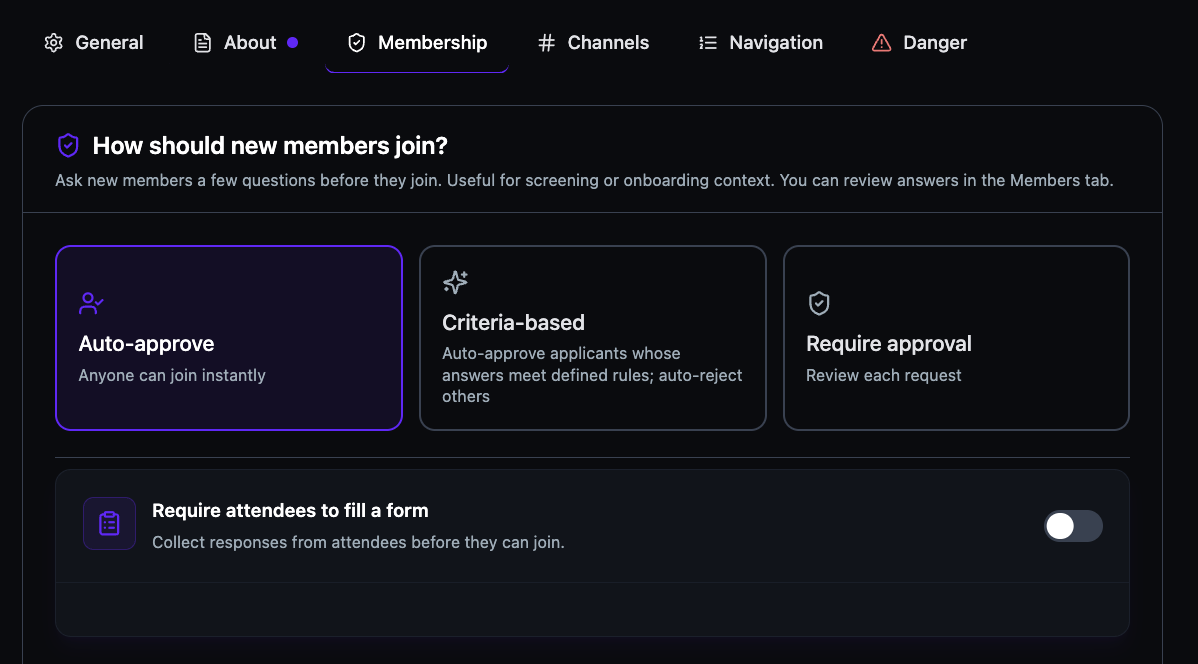
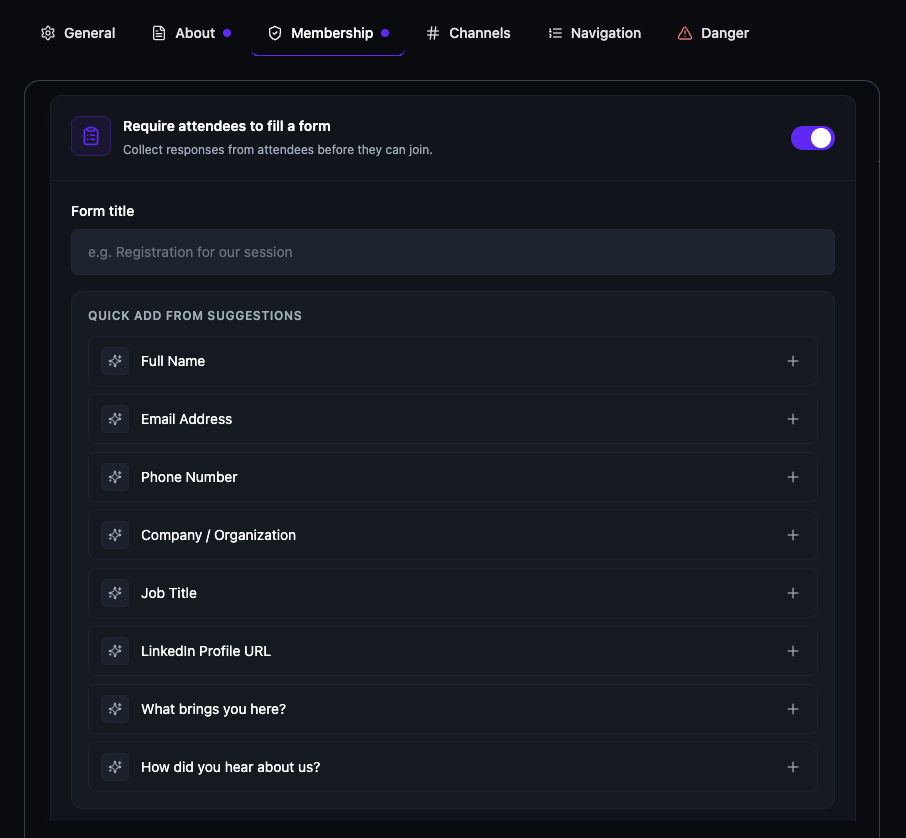
The Membership tab gives you three join modes: Auto-approve lets anyone in instantly, Criteria-based auto-approves applicants whose form answers meet your rules and rejects the rest, and Require approval puts you in control of every request. A form toggle at the bottom lets you collect responses before anyone joins.
Toggle the form on and a builder appears with a title field and a Quick Add From Suggestions list — Full Name, Email, Phone, Company, Job Title, LinkedIn, "What brings you here?", and "How did you hear about us?" Add any of them with one click, or write your own custom questions. Every response is reviewable from the Members tab.
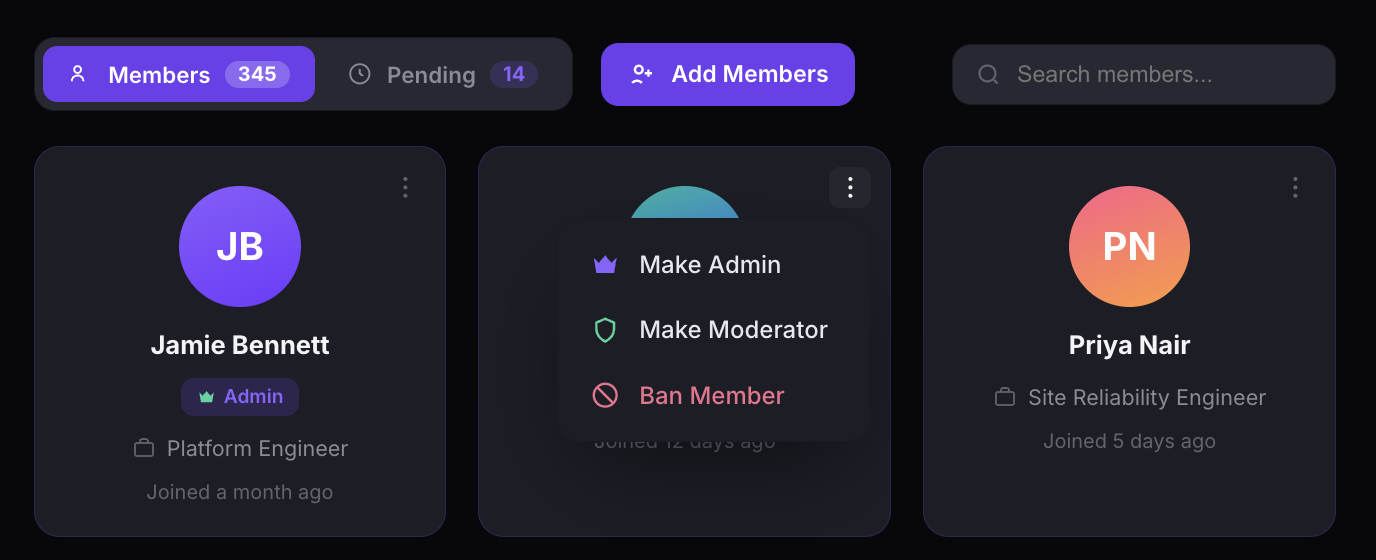
The Members view shows total count, pending requests, and a search bar at the top. Each member appears as a card with their name, role badge, job title, and join date. Open the three-dot menu to promote to Admin or Moderator, or Ban anyone who violates your guidelines.
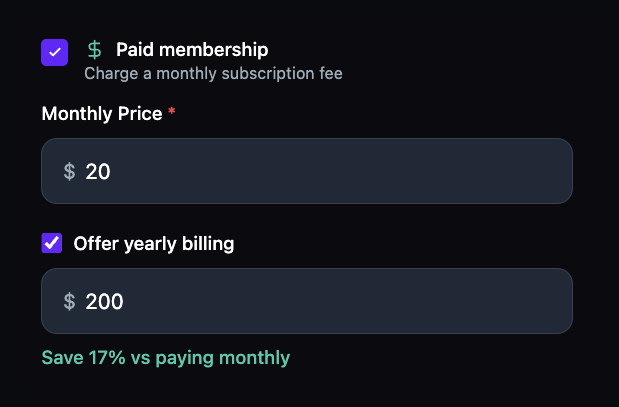
Check the Paid membership box and set a monthly price. Enable yearly billing and the platform auto-calculates the savings percentage for you. No Stripe plugins. No payment workarounds. Revenue collection is built in.
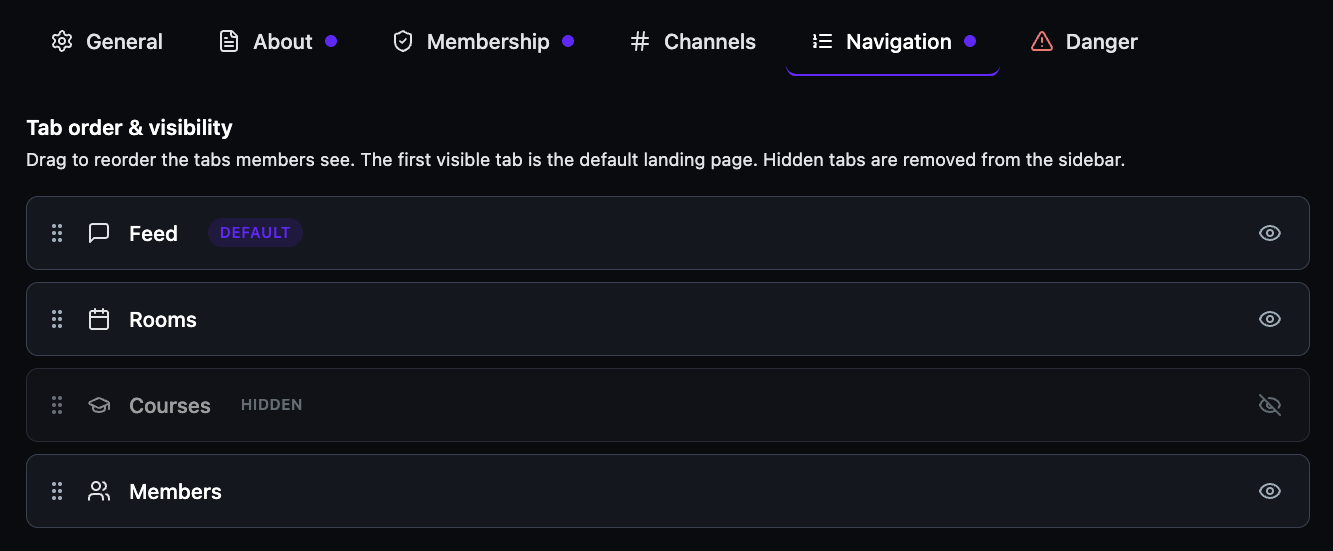
The Navigation tab lets you control tab order and visibility. Drag tabs to reorder the sidebar, toggle the eye icon to hide tabs your community doesn't use, and the first visible tab becomes the default landing page. Hidden tabs are fully removed from the member sidebar.
The community homepage has its own Rooms tab with Upcoming and Past counts. Click + Create Room to schedule a session directly inside the community — no separate event pages, no external links. Channels, members, settings, and rooms all live in the same sidebar, scoped to the community that created them.