Platform Analytics
Users, events, recordings, and leaderboards
Course Analytics
Enrollment, completion, and certification
User Management
Profiles, plans, roles, and hosted events
Revenue Tracking
Payments, fees, and payout management
Platform Analytics

One dashboard for your entire membership operation.

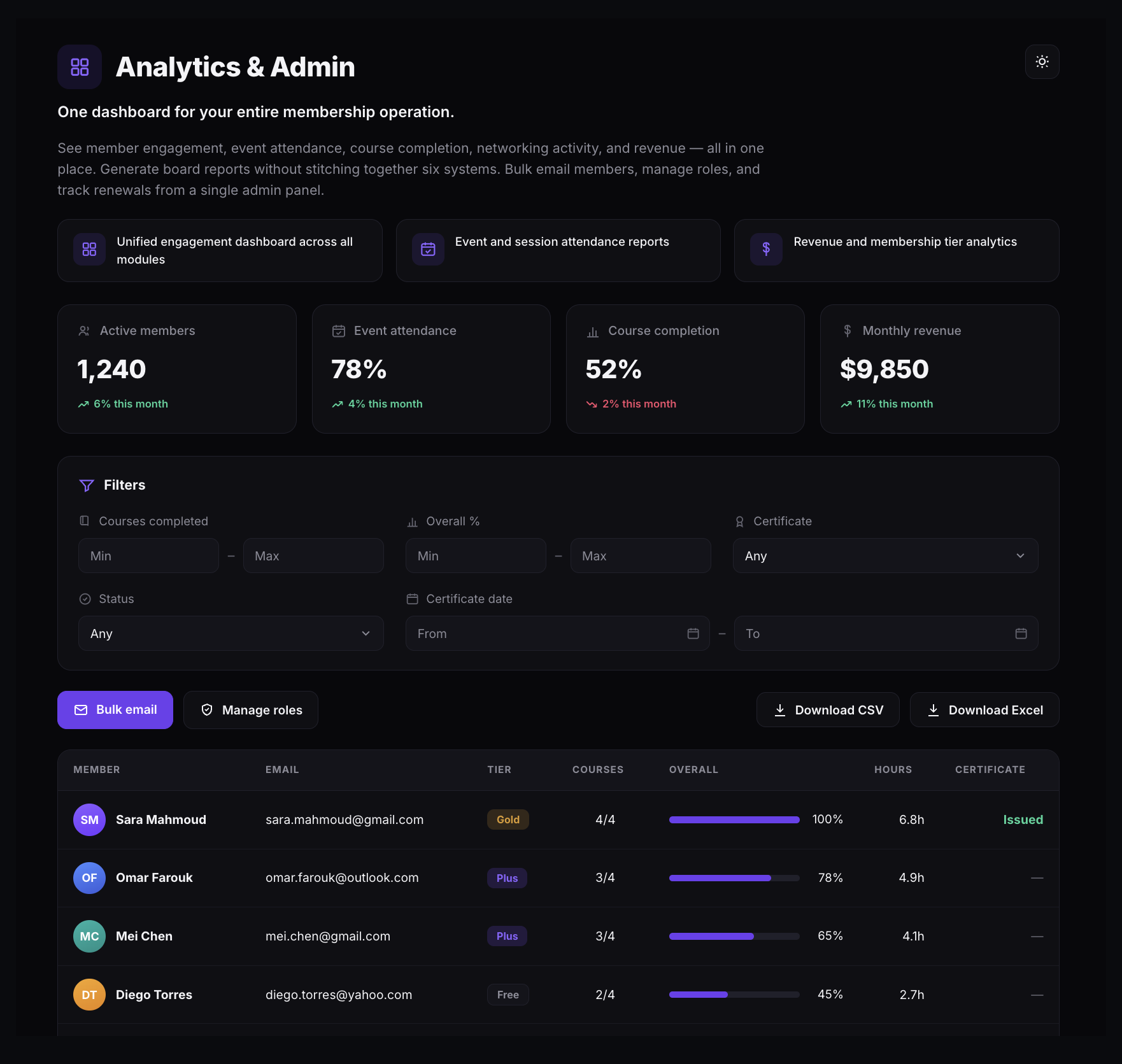
See member engagement, event attendance, course completion, networking activity, and revenue in one place — no stitching six systems together to build a board report. A member rollup table adds tier, course progress, learning hours, and certification, with filters and CSV or Excel export. Bulk email members, manage roles, and track renewals from the same admin panel.

  • Headline metrics — Active members, Event attendance, Course completion, and Monthly revenue, each with month-over-month change.
  • Member rollup table — tier, courses completed, overall progress, learning hours, and certificate status, filterable and exportable to CSV or Excel.
  • Built-in admin actions — bulk email members and manage roles without leaving the dashboard.
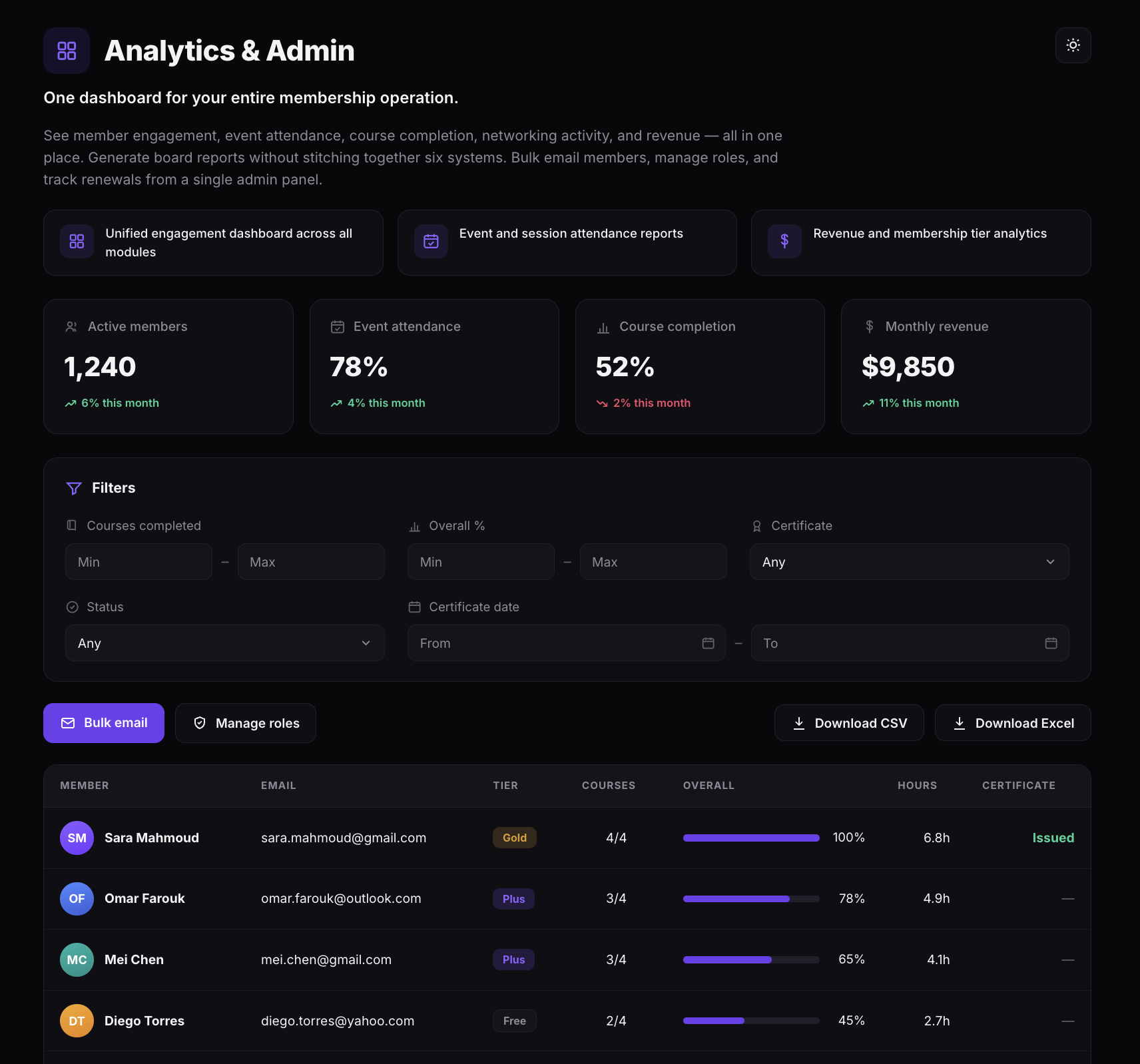
The Analytics and Admin dashboard showing Active members, Event attendance, Course completion, and Monthly revenue cards with month-over-month change, a filters panel, Bulk email and Manage roles actions, CSV and Excel export, and a member table with tier, courses, overall progress, hours, and certificate status
Analytics & Admin — headline metrics, a member rollup table, and built-in admin actions
Course Analytics

Track every learner from enrollment to certification.

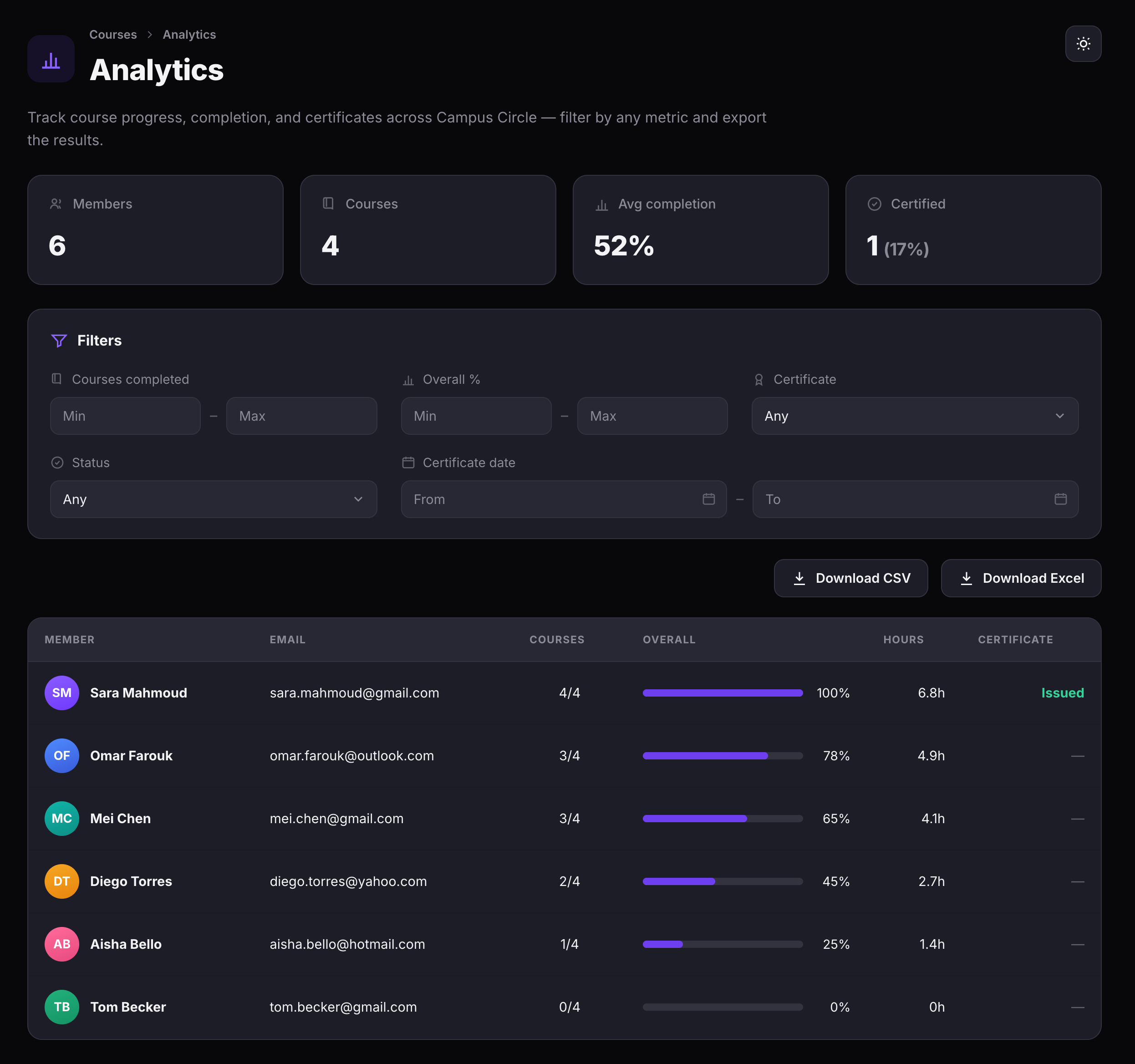
The all-courses dashboard shows total enrollment, course count, average completion rate, and certification status. Filter by courses completed, completion percentage, certificate status, or date range. Drill into any individual course to see per-learner progress bars, lesson counts, and last activity timestamps.

  • Program-level view — members enrolled, courses available, average completion, and certified count.
  • Course-level drill-down — per-learner progress, lesson completion, and last activity.
  • Export data — download learner tables as CSV or Excel for reporting.
The course analytics dashboard showing summary cards and a member completion table
Course analytics — completion, certification, and per-member progress
Host Activity

Know which hosts show up — and which don't.

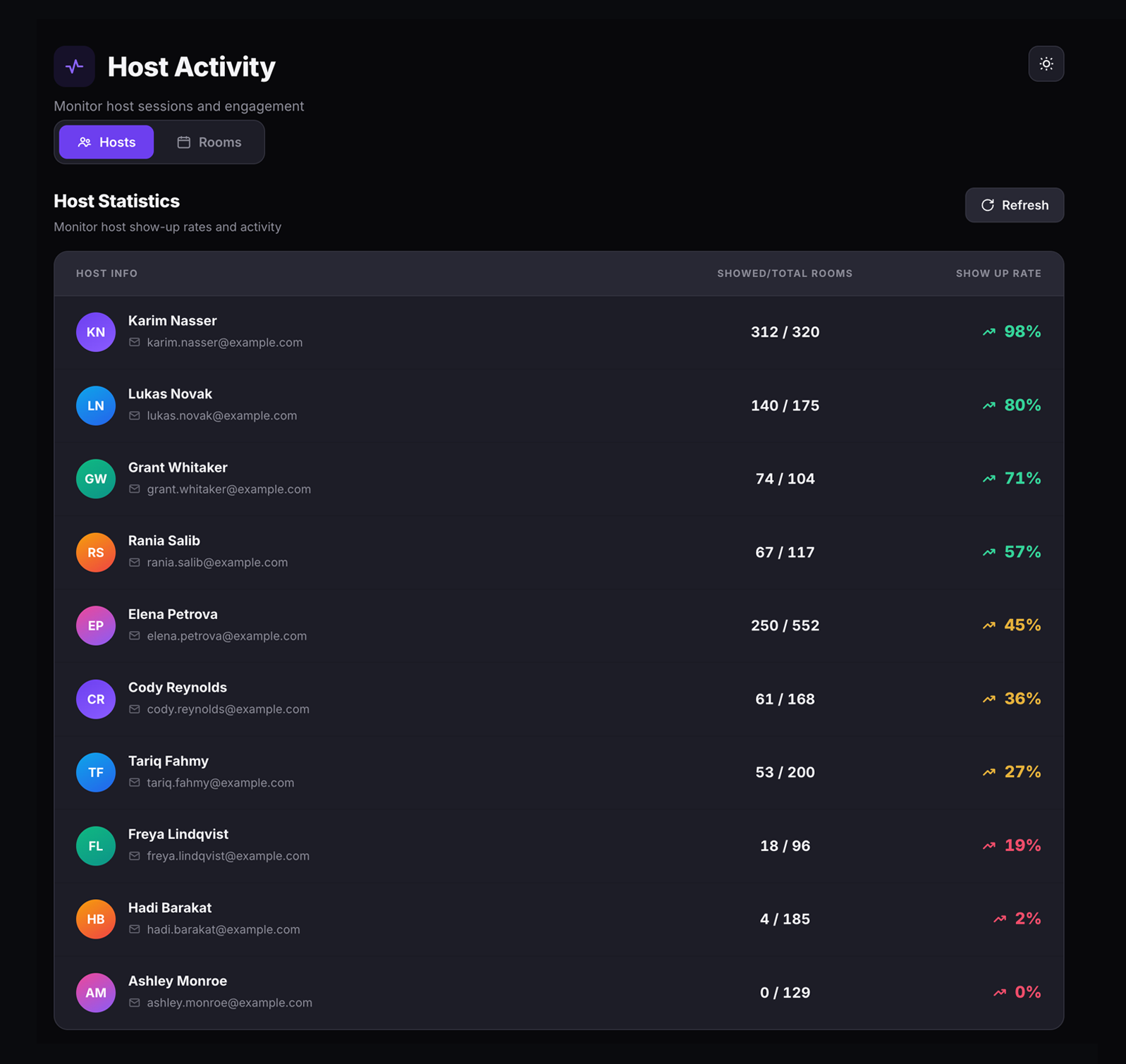
The Host Activity page tracks show-up rates across every host on your platform. The Hosts tab ranks each host by attendance ratio. The Rooms tab shows every room with its status, host attendance, scheduled time, duration, and attendee count. Filter by live, upcoming, or past events and search by room title or host name.

  • Host show-up rate — showed vs. total rooms, color-coded from green (reliable) down to red (low turnout).
  • Room activity — status (Live Now, Upcoming, Past), host present/missing, duration, and attendees.
  • Filter and search — narrow by room status or search by title and host name.
The Hosts tab showing the Host Statistics table with ten hosts listed, their showed versus total rooms ratios, and color-coded show-up rate percentages from green down to red
Host Activity — show-up rates and attendance ratios per host
Feedback Analytics

Measure session quality with NPS and quality scores.

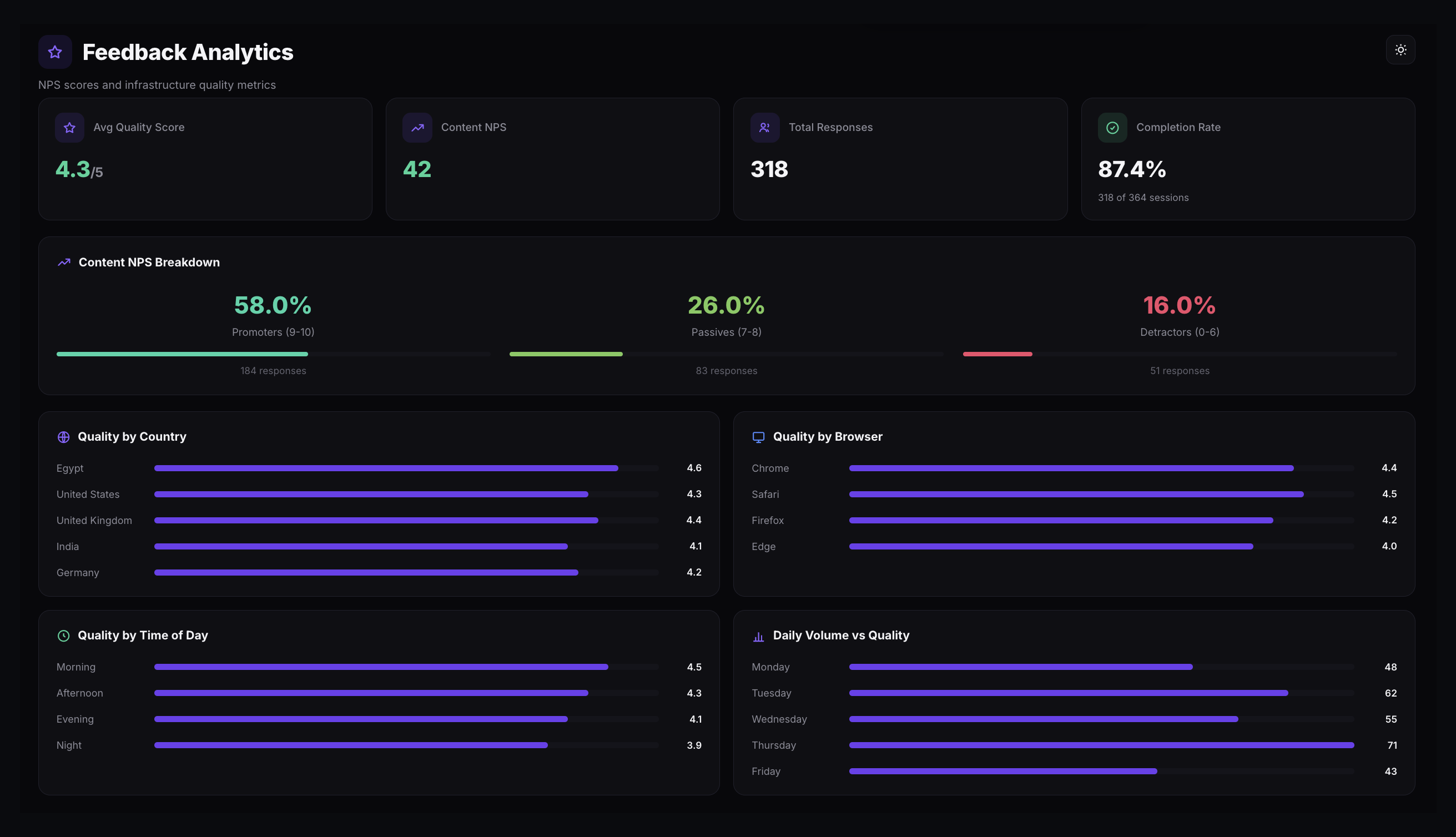
Post-call feedback is collected automatically after every session. The Feedback Analytics dashboard shows average quality scores, Net Promoter Score with Promoter/Passive/Detractor breakdowns, total responses, and completion rate. Four charts break quality down by country, browser, time of day, and daily volume.

  • NPS breakdown — Promoters (9–10), Passives (7–8), and Detractors (0–6) with percentages.
  • Quality dimensions — by country, by browser, by time of day, and daily volume vs. quality.
  • Automatic collection — feedback dialogs appear after every completed session. Anonymous and used for quality monitoring only.
The Feedback Analytics dashboard showing Avg Quality Score, Content NPS, Total Responses, and Completion Rate cards, a Content NPS breakdown of promoters, passives, and detractors, and quality charts by country, browser, time of day, and daily volume
Feedback Analytics — NPS breakdown, quality scores, and dimensional charts
User Management

Every user, searchable and manageable.

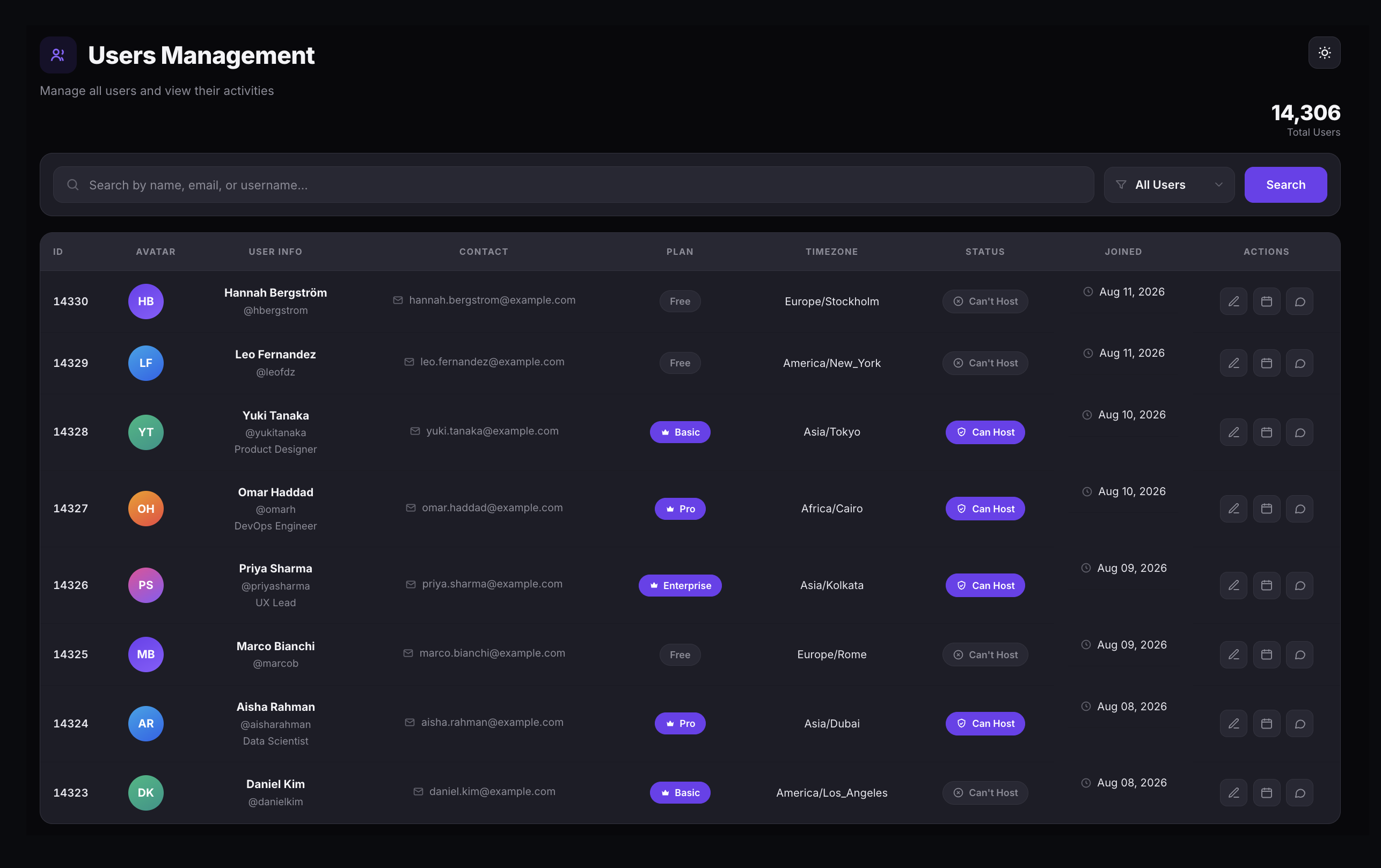
The Users Management page lists every registered user with their ID, name, email, plan, timezone, hosting status, and join date. Search by name or email, filter by hosting privileges, edit profiles and plans, and drill into any user's hosted events or consultation services.

  • Search and filter — find users by name, email, or username. Filter by Can Host or Can't Host.
  • Edit profiles — update name, email, username, and plan from the admin panel.
  • View user activity — see each user's hosted events and consultation services with full details.
The Users Management page showing a search bar, filter dropdown, total user count, and a table listing users with columns for ID, Avatar, User Info, Contact, Plan, Timezone, Status, Joined, and Actions
Users Management — search, filter, and manage every user on your deployment
Revenue & Payments

Full visibility over every transaction and payout.

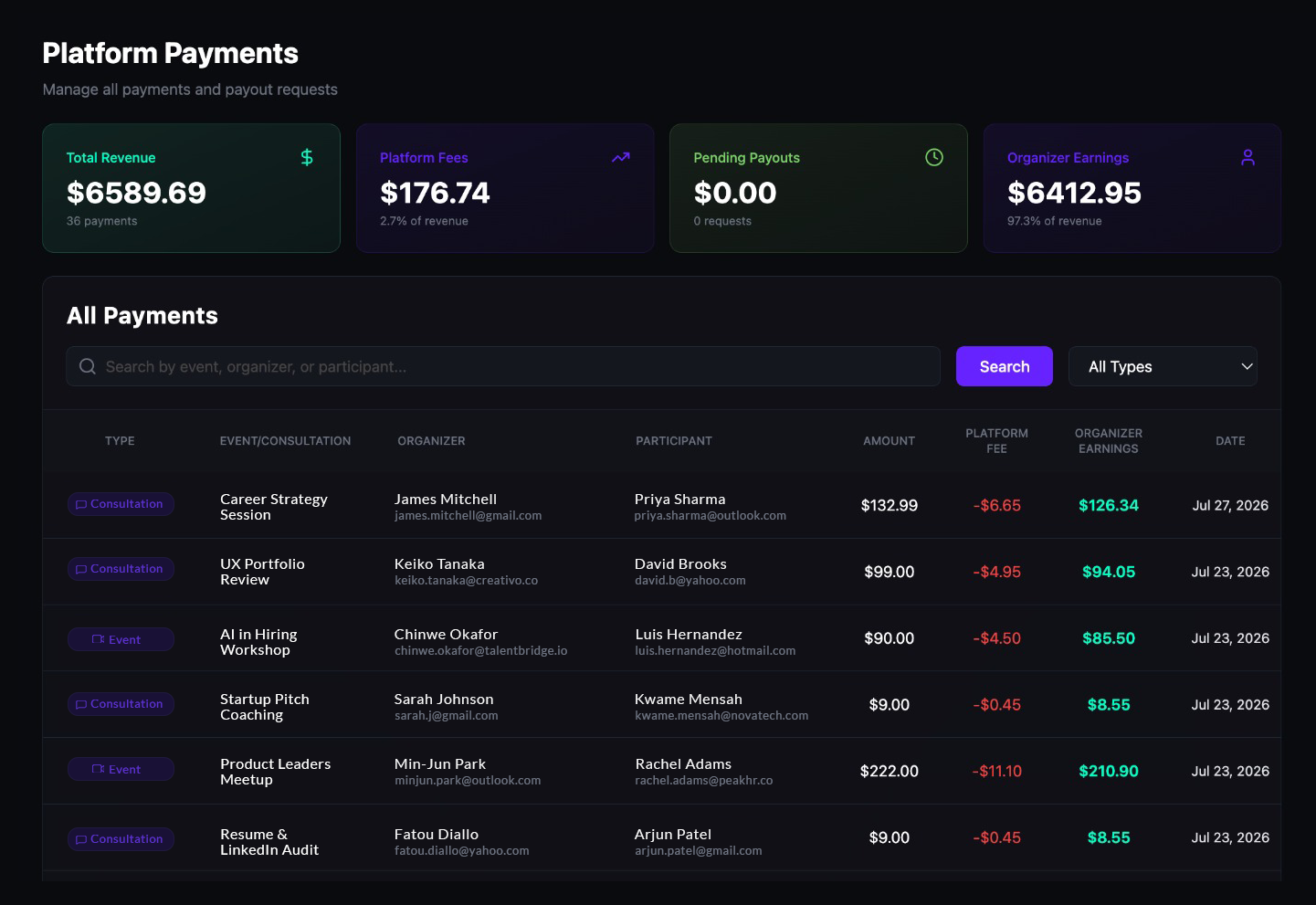
The Platform Payments page shows every payment across your deployment — total revenue, platform fees, pending payouts, and organizer earnings. Search by event, organizer, or participant, filter by events or consultations, and manage payout requests with approve or reject controls.

  • Revenue summary — Total Revenue, Platform Fees, Pending Payouts, and Organizer Earnings at a glance.
  • Transaction log — every payment with type, event name, organizer, participant, amount, fee, and date.
  • Payout management — review, approve, or reject withdrawal requests. Filter by Pending, Approved, Completed, or Rejected.
Summary cards for Total Revenue, Platform Fees, Pending Payouts, and Organizer Earnings, above an All Payments table listing type, organizer, participant, amount, platform fee, and organizer earnings by date
Platform Payments — revenue summary and transaction records